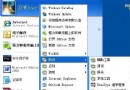
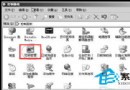
右鍵檔案/資料夾即可直接選擇目標資料夾複製或移動,無需開啟兩個視窗拖曳。
regedit。HKEY_CLASSES_ROOT\AllFilesystemObjects\shellex\ContextMenuHandlers。{7BA4C740-9E81-11CF-99D3-00AA004AE837}){C2FBB631-2971-11D1-A18C-00C04FD75D13})這兩個 CLSID 對應 Windows 內建的「複製到」與「移動到」 Shell 擴充功能,預設僅在工具列顯示,透過登錄掛載至右鍵選單即可喚出。
Windows Registry Editor Version 5.00

[HKEY_CLASSES_ROOT\AllFilesystemObjects\shellex\ContextMenuHandlers\Copy To]
@="{7BA4C740-9E81-11CF-99D3-00AA004AE837}"

[HKEY_CLASSES_ROOT\AllFilesystemObjects\shellex\ContextMenuHandlers\Move To]
@="{C2FBB631-2971-11D1-A18C-00C04FD75D13}"
另存為 copy_move_to_context.reg,雙擊匯入即可。
Windows XP 1 秒關機註冊表修改法:WaitToKillAppTimeout 與 AutoEndTasks 實戰解析
一行 DOS 指令掌握全系統資訊:systeminfo 導出完整硬體與軟體報表
Windows XP 兩招另類自動重啟:系統死鎖自動重啟、Explorer 崩潰自動重啟
深入認識專殺工具原理與編寫(下):Vista/Win7 用 WinPE + WimTool + EasyBCD 實現開機自動殺毒
Windows XP 輸入法消失/無法切換?三大修復法:語言欄、進階文字服務、msconfig 啟動項
輕鬆看透電腦硬體配置(三):DirectX 診斷工具 (DxDiag) 完整指南
USB 裝置「無法停止通用磁碟區」?三招安全弹出,保護資料不遺失
Windows下Tomcat与Apache集成实战:安装Apache、加载JK模块、配置workers.properties、验证JSP转发