Windows XP Windows 7 Windows 2003 Windows Vista Windows 綜合教學 Linux 系統教學
Windows 10 Windows 8 Windows 2008 Windows NT Windows Server 電腦軟體教學

Windows 98 開機出現 Rundll32 程式執行無效?System.ini 缺少 mmsystem.dll 驅動行,一行指令修復

編輯:Windows XP 系統介紹

進入 Windows 98 時彈出「Rundll32 程式執行無效,即將關閉」,詳細資料顯示 Mmsystem.dll 模組發生一般保護錯誤。原因是 System.ini 的 [boot] 區段遺失 drivers=mmsystem.dll 這一行。

修復方法(兩種皆可)

方法一:手動編輯 System.ini

  1. 用「記事本」開啟 C:\Windows\System.ini。
  2. 找到 [boot] 區段,新增一行:drivers=mmsystem.dll。
  3. 存檔,重新開機。

方法二:使用 msconfig 圖形介面新增

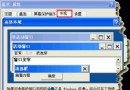
  1. 執行 Win+R 輸入 msconfig 開啟「系統設定公用程式」。
  2. 切換「System.ini」頁籤,展開 [boot],點「新增」。
  3. 輸入 drivers=mmsystem.dll,確定存檔,重新開機。

修復後開機不再出現 Rundll32 錯誤,多媒體功能恢復正常。

Copyright © Windows教程網 All Rights Reserved