Windows XP Windows 7 Windows 2003 Windows Vista Windows 綜合教學 Linux 系統教學
Windows 10 Windows 8 Windows 2008 Windows NT Windows Server 電腦軟體教學

Windows XP 刪除 SAM 檔案導致無法開機?官方修復步驟完整教學

編輯:Windows XP 系統介紹

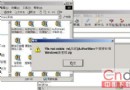
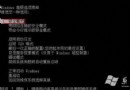
嘗試在 DOS 下刪除 SAM 檔案來清空密碼,卻發現這招僅適用於未打補丁的 Windows 2000。XP/2003 已修補此漏洞,刪除 SAM 會直接導致系統無法啟動。若無備份,可用修復控制台從 \windows\repair 還原五個關鍵登錄檔。

修復步驟

  1. 從 Windows XP 安裝光碟開機,進入「修復控制台」(歡迎畫面按 R)。
  2. 選擇要修復的 Windows 安裝,輸入管理員密碼。
  3. 依序執行以下指令(假設系統盤為 C:):
copy C:\windows\repair\SAM        C:\windows\system32\config\
copy C:\windows\repair\security   C:\windows\system32\config\
copy C:\windows\repair\default    C:\windows\system32\config\
copy C:\windows\repair\system     C:\windows\system32\config\
copy C:\windows\repair\software   C:\windows\system32\config\
  1. 輸入 exit 重新開機。

後果與建議

  • 系統將恢復到初始安裝狀態,已安裝軟體可能無法執行,系統設定遺失。
  • 日後忘記密碼,建議使用 DreamPack、ERD Commander、Offline NT Password & Registry Editor 等專業工具重置密碼,避免破壞系統檔案。
Copyright © Windows教程網 All Rights Reserved