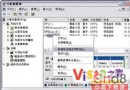
桌面右鍵 → 內容 → 外觀 → 效果 → 「使用下列方法平滑螢幕字型」選 ClearType。
登錄 HKU\.DEFAULT\Control Panel\Desktop\FontSmoothingType = 2 可套用至歡迎畫面。
CMD → systeminfo:安裝日期、啟動時間、修補程式數、網卡、處理器等。
systeminfo > info.txt 匯出文字檔。(專業版限定)
/? 內建說明新指令:eventcreate、eventtriggers、typeperf、schtasks,輸入 指令 /? 即見完整參數。
使用者設定 → 系統管理範本 → Windows 元件 → Windows 檔案總管 → 「不將刪除的檔案移至回收筒」→ 啟用。謹慎使用。
桌面新增捷徑 → 位置:rundll32.exe user32.dll,LockWorkStation → 命名「鎖定電腦」。雙擊即鎖。
同功能熱鍵:Win+L。
記事本開啟 %Windir%\Inf\Sysoc.inf → 取代/刪除所有 hide 關鍵字 → 控制台 → 新增/移除程式 → Windows 元件,所有元件現形可移除。
regsvr32 /u zipfldr.dll 關閉;regsvr32 zipfldr.dll 恢復。低階機器明顯加速。
CMD → ipv6 install 安裝協定棧 (不影響現有網路) → ipv6 /? 查參數。僅限區域網路實驗,ISP 不支援則無法上網。
tasklist 列出 PID → taskkill /pid PID 或 tskskill PID 終止進程,比工作管理員更適合腳本自動化。