盜版 XP SP2/SP3 安裝後,若未屏蔽微軟「Windows 真實優勢」(WGA) 驗證,系統會在每小時觸發一次黑屏/彈窗/降級體驗。三級方案徹底根治:
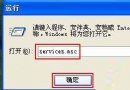
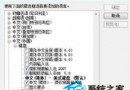
services.msc → 禁用 Automatic Updates、Office Source Engine 服務。以管理員身份運行 CMD,依次執行:
sfc /purgecache
reg delete "HKLM\SOFTWARE\Microsoft\Windows NT\CurrentVersion\Winlogon\Notify\WgaLogon" /f
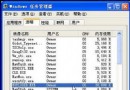
taskkill /f /im WgaTray.exe
del "%SystemRoot%\system32\WgaTray.exe" /f /q
del "%SystemRoot%\system32\dllcache\WgaTray.exe" /f /q
重啟即可恢復正常。
新建文本文件,貼入以下代碼,存為 RemoveWGA.bat,右鍵「以管理員身份運行」:
@echo off
sfc /purgecache
reg delete "HKLM\SOFTWARE\Microsoft\Windows NT\CurrentVersion\Winlogon\Notify\WgaLogon" /f
for %%i in (system32 dllcache) do (
  if exist "%SystemRoot%\%%i\WgaTray.exe" (
    taskkill /f /im WgaTray.exe
    del "%SystemRoot%\%%i\WgaTray.exe" /f /q
  )
)
if exist "%SystemRoot%\WgaTray.exe" (
  taskkill /f /im WgaTray.exe
  del "%SystemRoot%\WgaTray.exe" /f /q
)
echo WGA驗證組件已清除,請重啟電腦。
pause
技術手段能解症,正版/替代系統才能治本。