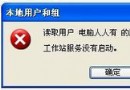
複製字型至 C:\Windows\Fonts 無「安裝新字型」提示,選單也無此選項,字型無法使用。
Fonts 是特殊系統資料夾,依賴隱藏的 Desktop.ini 定義殼層擴充功能 (UID: {BD84B380-8CA2-1069-AB1D-08000948F534})。優化工具誤刪此檔導致功能失效。
C:\Windows\Fonts 建立文字檔,內容:[.ShellClassInfo]
UICLSID={BD84B380-8CA2-1069-AB1D-08000948F534}
Desktop.ini。attrib +r +h Desktop.ini)。資料夾選項「顯示所有檔案」也看不到此檔,需在網址列輸入 C:\Windows\Fonts\Desktop.ini 直接開啟確認。
優化/清理工具勿勾選「刪除 Desktop.ini」,或手動排除系統特殊資料夾 (Fonts、Templates 等)。