Windows XP Windows 7 Windows 2003 Windows Vista Windows 綜合教學 Linux 系統教學
Windows 10 Windows 8 Windows 2008 Windows NT Windows Server 電腦軟體教學

關閉 Windows XP SP3 DEP (資料執行防護) 功能:Boot.ini 修改法

編輯:Windows XP 系統介紹

適用情境

部分舊版軟體與 DEP 衝突導致異常終止,需徹底關閉 DEP。

操作步驟

  1. 取消 C:\Boot.ini 唯讀屬性:右鍵 → 內容 → 取消「唯讀」。
  2. 記事本開啟 Boot.ini,找到 multi(0)disk(0)rdisk(0)partition(1)\WINDOWS=... 那一行。
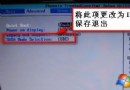
  3. 行尾將 /noexecute=optin (或 /noexecute=alwayson) 改為 /execute。
  4. 儲存,重開機生效。

驗證

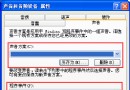
「控制台 → 系統 → 進階 → 效能 → 資料執行防護」頁籤應顯示 DEP 已關閉。

風險提醒

關閉 DEP 降低系統對緩衝區溢位攻擊的防護能力,僅建議在確認特定軟體相容性問題且無法升級軟體時使用,並建議配合防毒軟體、防火牆強化防護。

Copyright © Windows教程網 All Rights Reserved