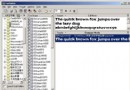
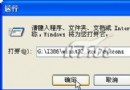
IIS (Internet Information Services) 是 Windows 內建網頁伺服器元件,安裝後可將電腦作為本機伺服器發布網頁。XP 安裝 IIS 5.1 需指定安裝來源路徑。
此法適用於需在 XP 本機測試 ASP、HTML 網頁的開發者。
Windows 檔案保護 (WFP) 機制深度解析:如何防止系統檔被竄改、SFC 手動控制
Windows XP 十大超酷應用技巧:右鍵加入「複製到/移動到」、變更登入背景/色彩、關閉檔案保護、自動關機
Windows XP SP3 常見問題全解析:功能、安裝與發布延遲原因
經典技巧:不重灌 XP 解決所有故障(一):Windows 環境下檔案修復、SFC 掃描、系統還原完整版
Windows XP 遺忘登入密碼破解實戰:Windows PE + 系統檔案替換法
滑鼠亂舞非靈異事件:Nimda 病毒變種導致滑鼠失控,Symantec/Trend Micro 專用工具清除