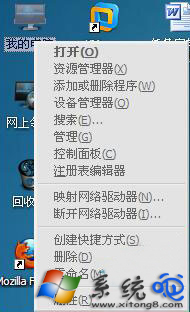
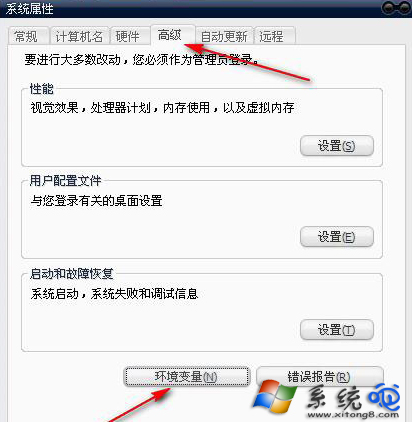
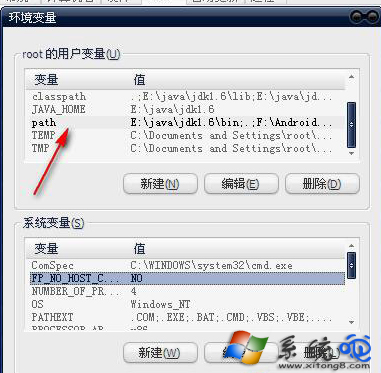
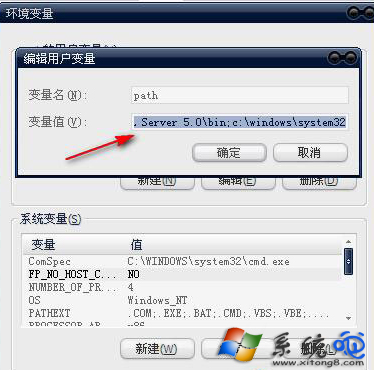
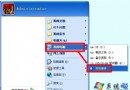
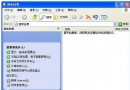
XP 執行 gpedit.msc 出現 MMC 錯誤,同 Win10 解法,修復系統環境變數 Path 即可。
gpedit.msc
Path
%SystemRoot%\system32;%SystemRoot%;%SystemRoot%\system32\WBEM
此錯誤常因使用者手動修改環境變數或優化軟體誤刪系統路徑導致。
Windows XP 刪除不需要的系統元件釋放硬碟空間
硬件搭配決定數據中心能效:虛擬化、SAN、多核、風扇調速、液冷、冷熱通道、多線程軟件八大槓桿
打造動態更新的 Ghost 映像檔:安裝軟體不進系統盤、我的文件/收藏夾外移、登錄重導向
你可能錯過的 10 個 Windows XP 隱藏實用技巧
Windows XP 進入桌面程式無回應/卡頓完整排解指南 (含 DHCP 等待、Prefetch、啟動項)
Windows XP 顯示卡驅動程式安裝提示硬體不相容解決方案
讓 XP 不再彈出錯誤提示視窗:Dr. Watson、錯誤報告與例外處理完全關閉
Windows XP 快速切換使用者與實用鍵盤捷徑大全