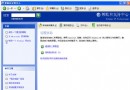
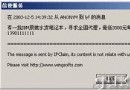
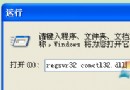
非安全模式下出現通常是服務被停用。解決步驟:
services.msc
%systemroot%\system32\msiexec.exe /unregserver
InstMsiW.exe
msi.inf
mspatcha.inf
%systemroot%\system32\msiexec.exe /regserver
完成後 MSI 安裝檔應可正常執行。
Vista 執行 QQ 藍屏?nProtect 鍵盤加密元件不相容,刪除三檔案暫時解決
一步步優化 Windows XP (2):視覺效果取捨、登錄表優化基礎觀念
破解 XP 管理員密碼 U 盤法:Usboot + WinRAR 自解壓 + 替換 magnify.exe 實戰全記錄
Windows XP 事件查看器入門:打開方法、三大日誌類型與安全審計實戰
32 位元 vs 64 位元 Windows 7 完整差異分析:記憶體上限、運算效能、軟體相容三大維度決策指南
XP 隱藏加速秘技:一鍵啟用 IPv6 協議提升網速
Windows 2000/XP 巧妙阻止強制關機的實用技巧
Windows 文件系統漏洞實戰:Replace 命令繞過保護與反斜線目錄隱匿技術(上)