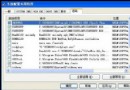
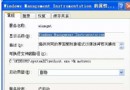
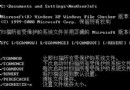
升級 XP 後舊掃描儀無原生驅動,可嘗試相容模式安裝原廠光碟驅動:
SETUP.EXE
此法適用於多種僅支援 9x 系統的舊周邊裝置。
五步完美整理 Windows 系統:從磁碟重組到惡意軟體免疫
WinXP 純淨版用 CBox 播放畫面只顯示上半部?更新顯卡驅動掃描硬體變更解決
系統使用與軟體配置實戰經驗談(一):密碼、輸入法、桌面、磁碟分區
Windows XP 系統六大精彩問答:組策略誤禁、新增移除程式失效、系統匣圖示無法隱藏
WLAN 常見五大難題專家答疑:Wi-Fi/蜂窩選擇、鄰網滲透、雙網並行、WPS 攻擊、流量監控
Windows 7/10 找回 XP 風格快速啟動列:三步打造經典工作列體驗
WPS/WPS Office 反字/鏡像文檔打印全攻略:單行文字法與反片輸出法
Windows XP 查詢 MAC 位址:系統資訊與 ipconfig 指令兩法