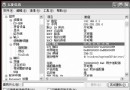
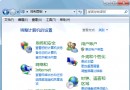
整個 D 槽使用 XP EFS 加密,重裝 C 槽系統後無法讀取 D 槽,因新系統產生新 SID,視舊加密檔為非法存取。解法:
備份完成後即可在新系統正常存取檔案。建議日後加密前先匯出 EFS 憑證備份,避免重裝系統資料永久遺失。
降低電腦死機率實戰指南:硬體散熱、BIOS 設定、驅動衝突全方位優化
Windows下Tomcat与Apache集成实战:安装Apache、加载JK模块、配置workers.properties、验证JSP转发
Windows XP/2003 體驗 Longhorn 介面:Longhorn Transformation Pack 安裝與設定
卸載迅雷後殘留 DLL 無法刪除?用 tasklist 找出佔用程序並清除
Windows XP 自動維護系統:INF 腳本排程磁碟重組、備份與清理
Windows XP 硬體優化六大絕招:加快關機、關閉檔案保護、啟用 DMA、禁用 Dr.Watson、縮短開機、設定 L2 快取