XP 雖經官方優化,仍有大幅調整空間。以下為筆者實測有效的優化組合:
刪除 HKEY_CURRENT_USER\Software\Microsoft\Windows\CurrentVersion\Run 中 Messenger、ctfmon 等非必要項。
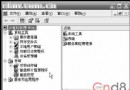
修改 HKEY_LOCAL_MACHINE\SYSTEM\CurrentControlSet\Control\Session Manager\Memory Management\PrefetchParameters\EnablePrefetcher 為 1(預設 3),進度條跑一圈即進登入畫面。不常換硬體者,裝置管理員將總線裝置類型設「無」。
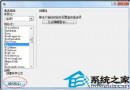
「系統內容」→「進階」→「效能」→「視覺效果」→「調整為最佳效能」→勾選「在視窗和按鈕上使用視覺樣式」,兼顧速度與美觀。
執行 regsvr32 /u zipfldr.dll 取消註冊,釋放資源,改用 WinRAR/7-Zip。
gpedit.msc →「管理範本」→「網路」→「QoS 封包排程器」→「限制可保留頻寬」→「已停用」。並移除網卡內容中的 QoS 協定。
刪除登錄檔 HKEY_LOCAL_MACHINE\Software\Microsoft\Windows\Current Version\Explorer\RemoteComputer\NameSpace\{D6277990-4C6A-11CF-87-00AA0060F5BF},重開機後不再檢查遠端排程工作,存取明顯加快。
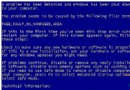
修改 HKEY_LOCAL_MACHINE\SOFTWARE\Microsoft\Windows NT\CurrentVersion\AeDebug\Auto 值為 0。同理關閉藍屏記憶體傾印(系統內容→進階→啟動與修復→寫入偵錯資訊→無)。
alerter、Automatic Updates、Background Intelligent Transfer、ClipBook、Computer Browser、DHCP Client、Distributed Link Tracking、Distributed Transaction Coordinator、DNS Client、Error Reporting、Event Log、Fast User Switching、Help and Support、Human Interface Device Access、IMAPI CD-Burning、Indexing Service、ICF/Internet Connection Firewall、IPSEC Services、Logical Disk Manager Admin、Messenger、MS Software Shadow Copy Provider、Net Logon 等。
註:視個人使用環境酌情保留(如需自動更新、防火牆、網路列表等請勿停用)。