執行程式突然跳出「0xXXXXXXXX 記憶體無法為 read/written」?依序嘗試四大策略徹底根治:
1. 移除無效/惡意瀏覽器外掛
上網常被偷裝工具列、BHO、ActiveX 元件,與其他程式衝突導致記憶體錯誤。用 360 安全衛士等工具掃描並清除所有垃圾外掛,給大型程式/遊戲乾淨環境。
2. 手動修復 WMI 服務 (Windows Management Instrumentation)
WMI 服務異常會觸發記憶體讀寫錯誤。修復步驟:
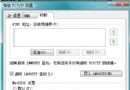
- 「我的電腦」右鍵 → 「管理」→ 「服務與應用程式」→ 「服務」→ 找 Windows Management Instrumentation。
- 右鍵「內容」→ 「一般」索引標籤 → 「停止」服務。
- 總管進入
C:\Windows\system32\wbem\repository → 備份後清空所有檔案。
- 重開機 → 回服務啟動 WMI → 服務自動重建 repository,錯誤多半解決。
3. 修復損毀系統檔
- 先完整掃毒清除病毒(否則修復後仍被破壞)。
- 執行
sfc /scannow → 掃描發現錯誤 → 提示插入安裝光碟 → 自動還原正確版本系統檔。
- 重開機驗證。
4. 執行大型程式前釋放記憶體
- 重開機後再跑大程式/遊戲,確保記憶體乾淨。
- 記憶體較小(≤ 512MB)建議升級實體記憶體。
- 暫時關閉殺毒軟體即時掃描、防火牆等常駐程式(跑完記得開啟)。
系統記憶體管理機制健全時,這類錯誤多源於軟體衝突、系統檔損毀或資源耗盡,按圖索驥即可解決。