系統級圖標(IE、我的電腦、網上鄰居、回收站)刪除後無法像快捷方式般直接恢復。提供六種方法,適配不同系統狀態。
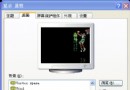
桌面右鍵 → 屬性 → 桌面 → 自定義桌面 → 勾選「Internet Explorer」 → 確定。若列表無此項,嘗試按 Alt+I 喚出隱藏選項。
控制面板 → 添加/刪除程序 → 添加/刪除 Windows 組件 → 勾選 Internet Explorer → 重裝。
下載對應版本 IE 安裝包覆蓋安裝,修復註冊表與系統文件。
打開「我的電腦」 → 工具欄「向上」按鈕 → 找到「Internet Explorer」圖標 → 拖曳到桌面。
運行輸入以下命令(新版主題):
cmd /k reg add "HKCU\Software\Microsoft\Windows\CurrentVersion\Explorer\HideDesktopIcons\NewStartPanel" /v {871C5380-42A0-1069-A2EA-08002B30309D} /d 0 /t REG_DWORD /f
經典主題再執行:
cmd /k reg add "HKCU\Software\Microsoft\Windows\CurrentVersion\Explorer\HideDesktopIcons\ClassicStartMenu" /v {871C5380-42A0-1069-A2EA-08002B30309D} /d 0 /t REG_DWORD /f
保存為 RestoreIE.reg:
Windows Registry Editor Version 5.00
[HKEY_CURRENT_USER\Software\Microsoft\Windows\CurrentVersion\Explorer\HideDesktopIcons\NewStartPanel]
"{871C5380-42A0-1069-A2EA-08002B30309D}"=dword:00000000
[HKEY_CURRENT_USER\Software\Microsoft\Windows\CurrentVersion\Explorer\HideDesktopIcons\ClassicStartMenu]
"{871C5380-42A0-1069-A2EA-08002B30309D}"=dword:00000000
雙擊導入 → 刷新桌面即現。
任意盤新建文件夾,命名 Internet Explorer.{871C5380-42A0-1069-A2EA-08002B30309D},拖至桌面即變為 IE 圖標。
另:組策略「隱藏桌面 IE 圖標」若啟用需先禁用。