電腦用久會產生大量垃圾檔案拖慢系統。利用簡單批次檔一鍵清理,無需第三方軟體。
@echo off
del /f /s /q %systemdrive%\*.tmp
del /f /s /q %systemdrive%\*._mp
del /f /s /q %systemdrive%\*.log
del /f /s /q %systemdrive%\*.gid
del /f /s /q %systemdrive%\*.chk
del /f /s /q %systemdrive%\*.old
del /f /s /q %windir%\*.bak
del /f /q %systemdrive%\recycled\*.*
del /f /q %windir%\prefetch\*.*
rd /s /q %windir%\temp & md %windir%\temp\temp & md %temp%
del /f /q %userprofile%\cookies\*.*
del /f /q %userprofile%\recent\*.*
rd /s /q "%userprofile%\Local Settings\Temporary Internet Files"
cls & echo 系統垃圾清除完成:)
echo. & pause
zol.bat(副檔名 .bat)。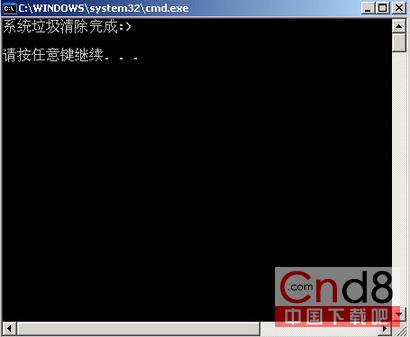
提示:熟悉系統者可自行增刪指令清理更多垃圾檔。