使用者覺得干擾視覺,想關閉此提醒效果。
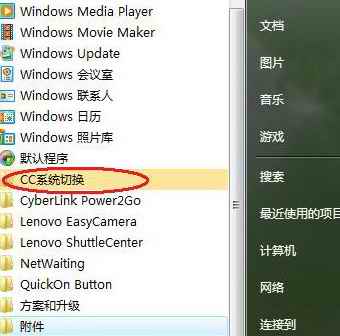
▲ 新安裝程式黃底高亮
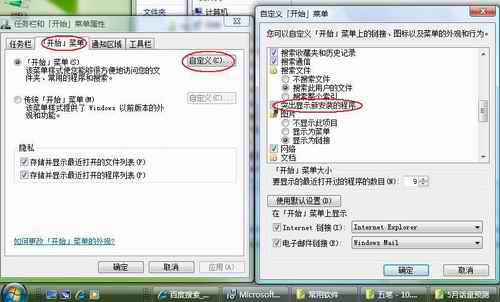
▲ 自訂開始功能表取消勾選「突顯新安裝的程式」
解決 Vista 下《跑跑卡丁車》無法運行/藍屏問題
Vista 安裝軟體提示「無法存取 Windows Installer 服務」完整修復方案
解決 Vista/XP 「資源回收筒損毀」錯誤,命令列快速重建
Vista 下攝影機無法開啟?手動啟動與替代方案完整教學
在 Windows XP 上安裝 Vista 終端服務用戶端 (mstsc.exe) 完整步驟:支援寬螢幕、需 4 個核心檔案
Windows Vista 與遊戲不兼容?終極解決方案大公開
保障 Windows Vista 作業系統安全的八大關鍵措施
XP/Vista 雙系統共用資源優化磁碟空間技巧