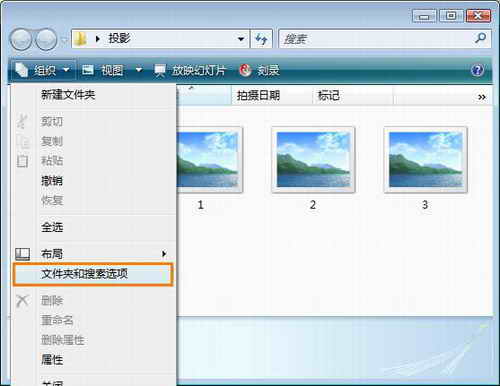
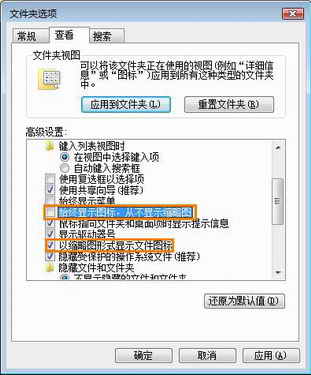
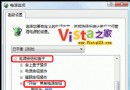
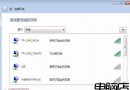
組織 → 資料夾與搜尋選項 → 檢視:
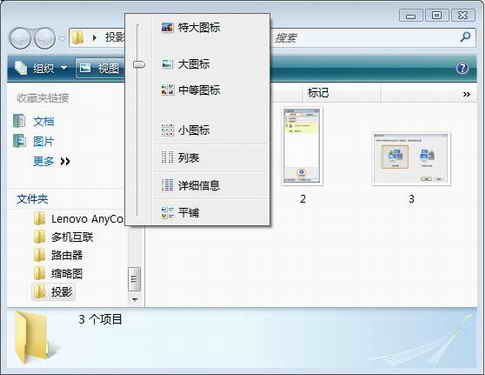
工具列「檢視」滑桿可即時調整縮圖大小(超大/大/中/小/清單/詳細資料)。
Windows Vista 22 類常見問題一站式解決方案大全
實戰破解 Windows Vista Beta 2 本機密碼:工具與步驟詳解
深入理解 Vista 故障處理機制:核心傾印提前、應用程式錯誤報告服務化
Vista 限制 USB 儲存裝置存取:僅允許指定隨身碟,封鎖其餘裝置
Vista / Win 7 正確移除捷徑小箭頭:透明 ICO + 登錄法,零副作用不反彈
解決 Vista QQ 無法打開攝像頭視頻聊天
Vista SP2 更新與安裝常見問題 FAQ
Windows Vista 八大應用技巧精簡版:關閉休眠/UAC、自動登入、移動虛擬記憶體、精簡服務、視窗/關機加速、啟用 Administrator