XP+Vista 雙系統忘記 Vista 密碼?利用登入介面的粘滯鍵漏洞(Shift x5 啟動 sethc.exe),在 XP 下替換為 cmd.exe,重啟進 Vista 登入畫面按 5 下 Shift 即得系統權限命令提示字元,重設密碼。
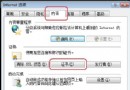
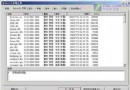
D:\Windows\System32\sethc.exe 擁有權與完全控制權(安全性 → 進階 → 擁有者 → 套用;安全性 → 編輯 → 加入目前 XP 帳號 → 完全控制)。ren D:\Windows\System32\sethc.exe sethc1.execopy D:\Windows\System32\cmd.exe D:\Windows\System32\sethc.exeexplorer.exe 載入桌面,即可進入系統重設密碼或建立新帳號。注意: 需在 XP 下先處理 NTFS 權限才能替換檔案。資源管理器「工具 → 資料夾選項」取消「使用簡單檔案共享」才會出現「安全性」索引標籤。
經典實用技巧,救急神器。