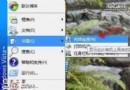
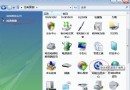
Vista 發生錯誤預設自動重開機,導致無法記錄藍畫面代碼。兩種方法關閉自動重啟:
systempropertiesadvanced
regedit
HKEY_LOCAL_MACHINE\SYSTEM\CurrentControlSet\Control\CrashControl
AutoReboot
1
0
關閉自動重啟後,藍畫面會停留在螢幕,方便記錄代碼排查根因。
巧修 Boot.ini 修復 XP+Vista 雙系統啟動故障
XP 與 Vista 雙系統安裝、啟動修復與備份還原完整實戰手冊
解決 Windows Vista 輸入法在 IE 保護模式下失效 (五筆/紫光/拼音加加) 的三層根因與註冊表修復方案
多管齊下讓 Vista 檔案複製加速:SP1 修補、關閉遠端差分壓縮、停用索引服務
Vista 如何開啟造字程式(EUDCEDIT)?
解決 Vista 開啟 MPG 影片資料夾出現 rundll32 錯誤
Vista 驅動程式更新後不穩?一鍵回滾到舊版本
解決 Vista 無法使用銳捷 (Ruijie) 客戶端上網:WinPcap + VC7 Runtime + Mento Supplicant 完整部署