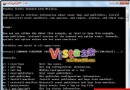
訊息:Setup was unable to locate a locally attached hard drive suitable for holding temporary Setup files.
原因:目標分區可用空間不足 8 GB。Vista 安裝前會檢查硬碟空間與記憶體,不符合最低需求即拒絕安裝。
解決:將目標分區可用空間擴充至至少 8 GB 以上。
訊息:Setup cannot run on this version of the Operating System. To install Windows please try booting from the install media.
原因:安裝方式與目前環境衝突(例如在 32 位元環境嘗試執行 64 位元安裝程式)。
解決:在 x64 環境下執行安裝程式,或將安裝檔燒錄成光碟並從光碟開機安裝。
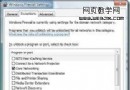
訊息:Windows Setup cannot determine if this computer supports installing this version of Windows.
原因:常見於雙系統環境(已安裝 XP),因 XP 中某些系統服務被更改預設狀態(如預設關閉的服務被啟用)。
解決:將 XP 系統服務還原為預設設定,若仍失效請重新開機後再試。
Windows Vista 外接麥克風設定與測試完整圖文教學
Windows Vista SP1 Build 6001.17042 安裝後的介面差異觀察
Vista SP1 RC 實測體驗:安裝包瘦身 50%、自動清理 1GB 暫存、相容性大幅提升
Vista 系統 IE 7.0 頻繁自動關閉?兩招輕鬆解決瀏覽器當機問題
Vista 滑鼠右鍵選單總是彈在左邊?平板電腦設定「慣用右手」即可修正
Windows Vista 是失敗作嗎?微軟延長 XP 售期背後的五大深層原因
刪除多餘 Vista 開機選單項目:BCDedit 指令與 Vista 優化大師圖形化操作
Windows Vista 內建「Windows 相簿」與「Windows DVD Maker」:零第三方軟體管理、編輯、燒錄照片全攻略