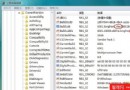
Vista 登入介面按 5 下 Shift 啟用「固定鍵」(sethc.exe),若在雙系統(C: XP, D: Vista)環境下,可從 XP 以 cmd.exe 取代 Vista 的 sethc.exe,重開機進入 Vista 登入畫面按 5 下 Shift 即彈出系統權限命令提示字元,輸入 net user 帳號 新密碼 即可重設密碼。
D:\Windows\System32\sethc.exe 擁有權(屬性→安全性→進階→擁有者→編輯→選擇目前 XP 帳號)。rename D:\Windows\System32\sethc.exe sethc1.execopy D:\Windows\System32\cmd.exe D:\Windows\System32\sethc.exeexplorer.exe 載入桌面(以 SYSTEM 權限)→ 控制台→使用者帳戶→重設密碼。注意:此為安全性漏洞展示,請勿用於非授權電腦。Vista SP1 後已修補此漏洞,建議使用重設磁碟或 Windows RE 修復。