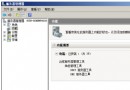
Windows Server 2008 預設開機需按 Ctrl+Alt+Del 才能登入,透過群組原則可關閉此需求,加快登入流程。
gpedit.msc 開啟本機群組原則編輯器設定生效後,下次開機將直接顯示登入畫面,無需按下三鍵組合。注意:此設定會略微降低實體存取安全性,建議僅用於受控環境。
Windows Server 2008 安裝 Active Directory 後的必要檢查清單
Windows Server 2003 遠端桌面 3389 連接埠 IP 限制:IPsec 原則限定來源位址實作指南
Windows Server 2008 (WinSer 8) 無法存取共用資料夾官方排查步驟
Windows Server 2008 遺失密碼離線重置實戰指南
Windows Server 2003 伺服器日誌查看完整指南
Windows Server 2008 域管理新體驗:RODC、角色分離與離線維護