Windows Server 2012 安裝 .NET Framework 3.5 時提示「找不到來源檔案」,原因在於系統未預先快取安裝檔案,需手動指定安裝媒體路徑。
D:\sources\sxs (依實際光碟機代號調整)。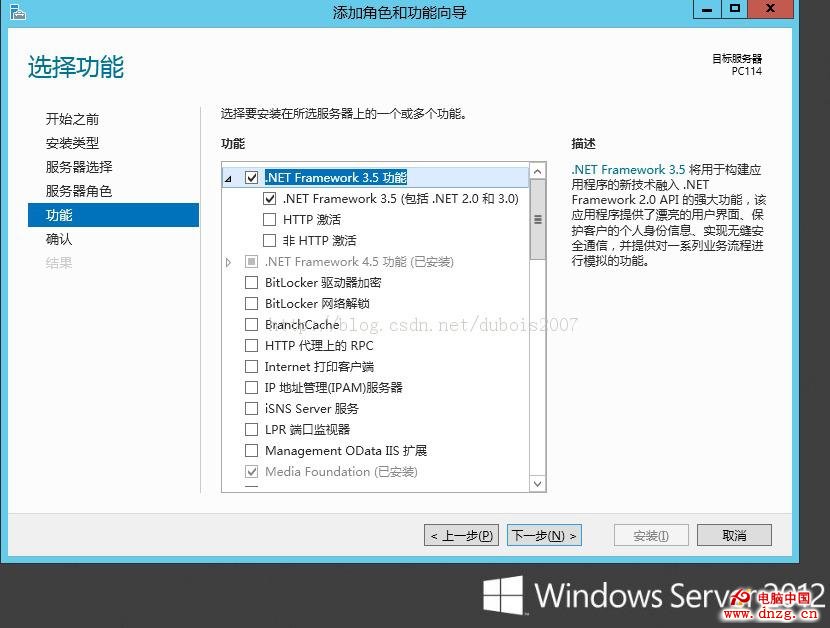
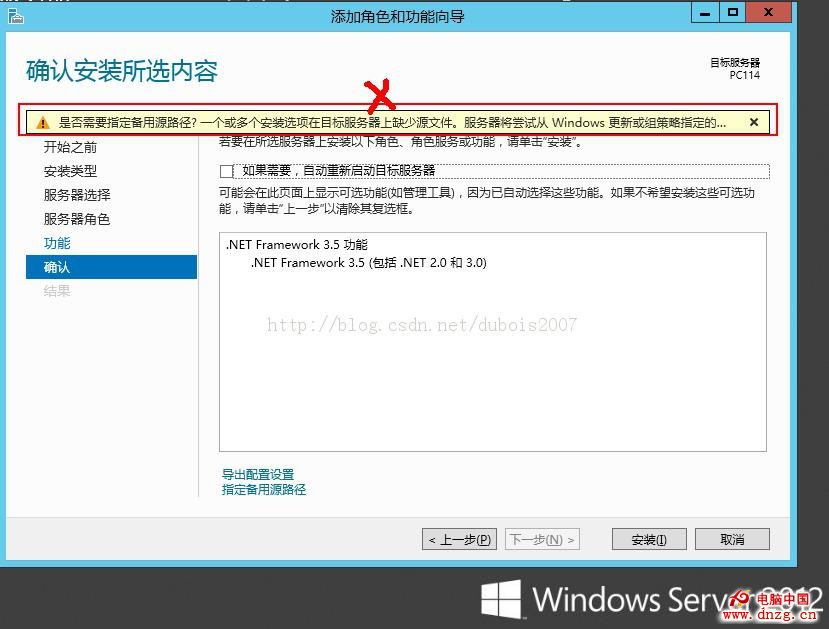
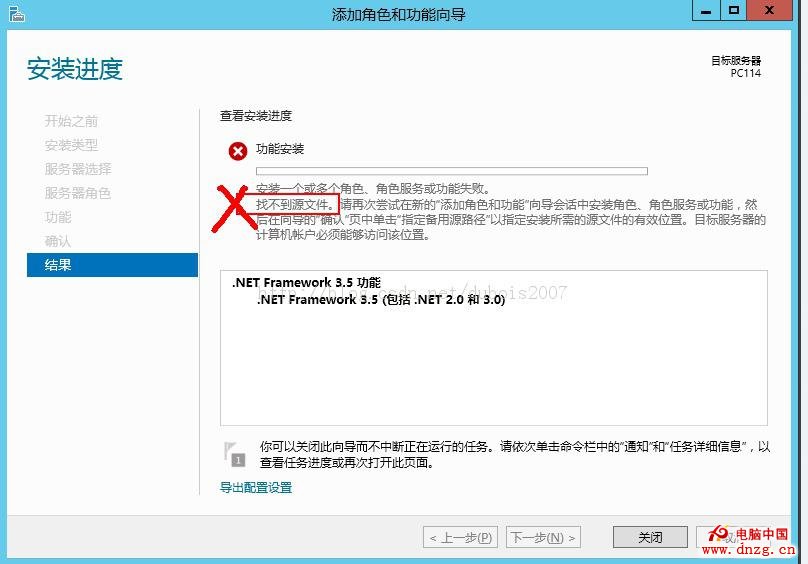
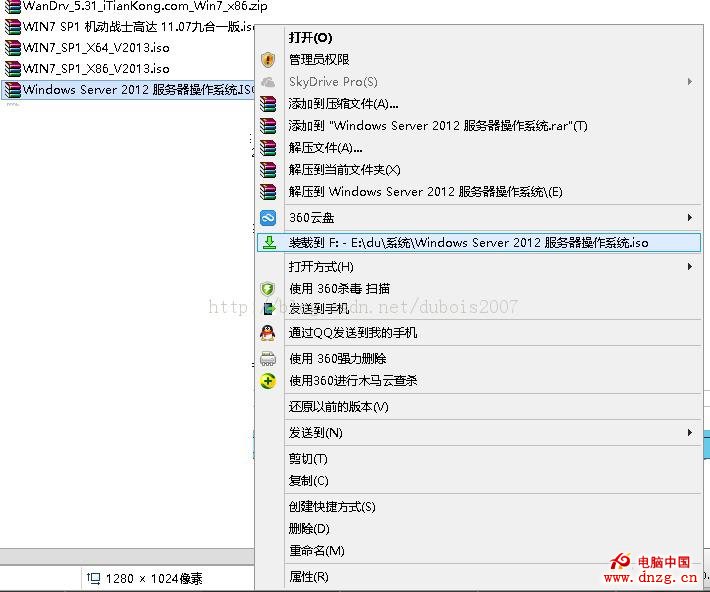
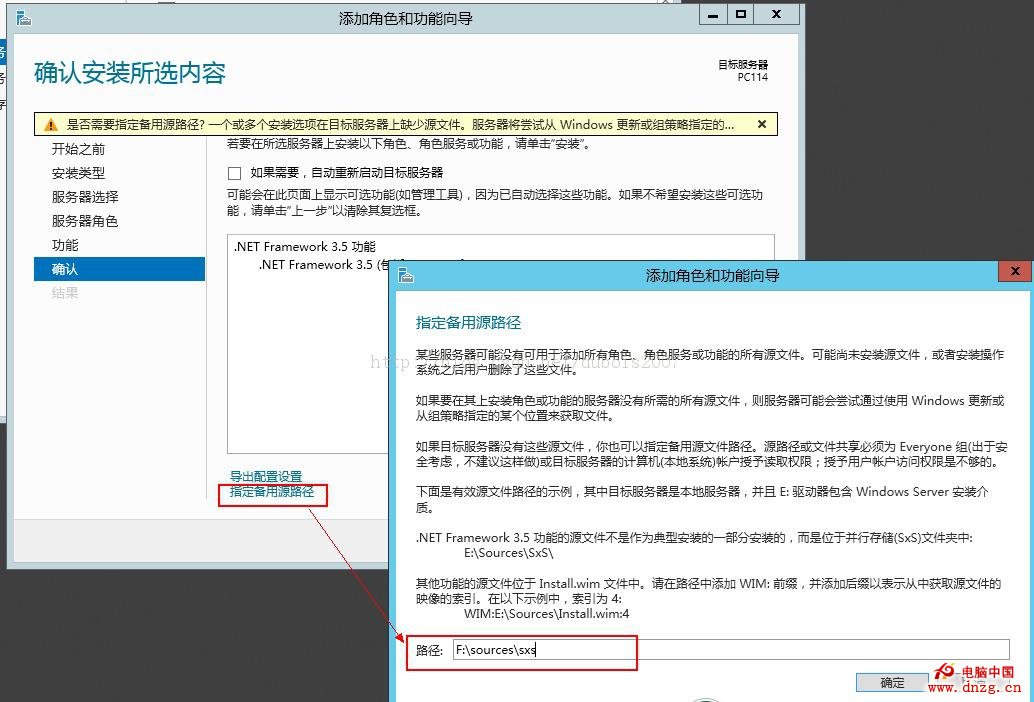
此問題常發生於離線環境或未連線 Windows Update 的伺服器,指定媒體來源即可永久解決。
Windows Server 2003 VPN 實作系列 (三):遠端用戶端 VPN 連線與驗證
從 Windows Server 2003 就地升級到 2008 實戰紀錄:相容性檢查、多次重啟與軟體存活率
Windows Server 2008 突破 MBR 限制:使用 Diskpart 建立第 4 個主分割區
IIS 同一 IP 架設多網站:TCP 連接埠法與主機標頭法完整比較
以 netsh advfirewall 命令列全掌控 Windows Server 2008 防火牆
揭密 Windows Server 2008 偽優化技巧:七大流傳廣泛卻有害無益的設定誤區