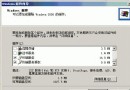
當網域控制站 (DC) 永久離線 (硬碟格式化、硬體損壞) 無法正常降級移除 AD 角色時,必須使用 ntdsutil 中繼資料清理功能手動從森林移除其物件,否則 AD 資料庫、網站與服務、信任關係、檔案安全性標籤皆會殘留該 DC/網域資訊。
mm.com (DC: www.mm.com) 與 cc.com (DC: vdc.cc.com)。vdc.cc.com 崩潰不修復,需徹底移除 cc.com 樹系。www.mm.com 必須為 Schema Master、Domain Naming Master 且為全域目錄 (GC);否則需先移轉角色/設定 GC。C:> ntdsutil
ntdsutil: metadata cleanup
metadata cleanup: connections
server connections: connect to server www
server connections: q
metadata cleanup: select operation target
select operation target: list sites
select operation target: select site 0
select operation target: list domains in site
select operation target: select domain 1 (cc.com)
select operation target: list servers for domain in site
select operation target: select server 0 (vdc)
select operation target: q
metadata cleanup: remove selected server
metadata cleanup: remove selected domain
metadata cleanup: q
ntdsutil: q
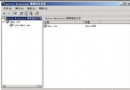
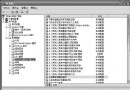
cc.com 已消失。vdc 伺服器物件需手動刪除。cc.com 殘留:於「Active Directory 網域與信任」右鍵 mm.com →「屬性」→「信任」移除 cc.com 即可解決。詳細指令說明請執行 ntdsutil ? 或參考 Microsoft 知識庫相關文件。
Windows 2000 20 大超實用操作技巧:開機加速、快捷鍵、拖放技巧與自動化設定
Windows Server 2008 Core 修改桌面解析度完整指令教學
Windows Server 2003 遠端修改電腦名稱教學
Windows Server 2003 搭建企業級安全檔案伺服器完整實作
Windows 2000 修改「我的最愛」儲存位置:登錄檔 Shell Folders 變更法與匯出自動化部署
Windows Server 2003 快速辨識隨插即用儲存裝置(USB/行動硬碟)