將 Windows Server 2003 設定為區域網路 (LAN) 路由器,需啟用 LAN 路由功能。
配置步驟
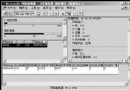
- 「開始」→「程式集」→「系統管理工具」→「路由和遠端存取」。
- 主控台樹右鍵伺服器→「設定並啟用路由和遠端存取」。
- 依精靈畫面指示完成「路由和遠端存取安裝精靈」(選項說明請查閱 Windows 說明「一般伺服器設定」)。
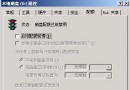
- 右鍵伺服器→「內容」→「一般」索引標籤→確認已勾選「路由器」核取方塊,並驗證依步驟 3 選擇的配置已勾選對應選項。
完成上述步驟,Windows Server 2003 即設定為路由器。
後續可能需要的配置
若需正常路由 IP 通訊,可能仍需額外設定。參考 Microsoft 知識庫:
- KB 178993:如何搭配靜態路由使用路由和遠端存取服務。
- KB 241545:如何在 Windows 2000 中透過 RRAS 實作 RIP。
更多資訊請查閱 Windows 說明「路由」。