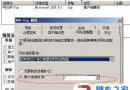
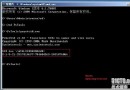
Windows Server 2008 上安裝 VS2008 失敗,未安裝 Office 2007 僅裝 Office 2003,但曾安裝 Office 2007 相容套件 (O2007Cnv)。
原因:O2007Cnv 安裝的某些共用組件與 VS2008 安裝邏輯衝突,移除後即恢復正常。
Windows Server 2008 R2 安裝 SQL Server 2012 關鍵先決條件:SP1 修補與 Visual Studio 2010 SP1
Windows Server 2008 WDS 部署完全攻略:從單機 Ghost 到千台自動化佈署
OEM 廠商聯手微軟推出 Windows Server 2008 Foundation 預裝伺服器
Windows Server 2008 R2 中 IIS 7.5 的關鍵改進
Windows Server 2008 DNS 伺服器安裝與區域建立完整圖文教學:正向查詢、A 記錄、測試驗證
Windows Server 2008 版本差異完整解析:Standard、Enterprise、Datacenter、Web 與 Itanium 版比較
Windows Server 2008 授權管理工具 slmgr.vbs 完整指令參考與實務範例
Windows Server 2008 自助安全防禦:強制啟用 DEP、限制一般使用者上網、關閉自動執行、BIOS 密碼、稽核原則