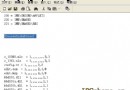
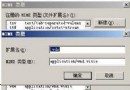
將 Windows Server 2003 當桌面作業系統使用時,系統磁碟根目錄下的 C:\wmpub 與 C:\Program Files\Common Files\Microsoft Shared\Web Server Extensions\ 等 IIS 相關資料夾顯得多餘且難以刪除,因受 Windows File Protection (WFP) 保護。本文提供經驗證可行的繞過方法:以 Windows XP Professional 同版本的 sfcfiles.dll 替換系統檔,暫時停用 WFP,即可順利刪除。
sfcfiles.dll(位於 %windir%\system32\ 與 %windir%\system32\dllcache\)。takeown /f %windir%\system32\sfcfiles.dll
icacls %windir%\system32\sfcfiles.dll /grant administrators:F
copy /y "XP_sfcfiles.dll路徑" %windir%\system32\sfcfiles.dll
takeown /f %windir%\system32\dllcache\sfcfiles.dll
icacls %windir%\system32\dllcache\sfcfiles.dll /grant administrators:F
copy /y "XP_sfcfiles.dll路徑" %windir%\system32\dllcache\sfcfiles.dll
C:\wmpub\ 與 C:\Program Files\Common Files\Microsoft Shared\Web Server Extensions\ 等資料夾。sfcfiles.dll 是 WFP 核心元件,負責監控並還原受保護的系統檔案。XP 版本的 sfcfiles.dll 不認得 2003 的 IIS 資料夾為受保護對象,替換後 WFP 便不再攔截刪除動作。
attrib +h +s)。%windir%\system32\dllcache\ 或原版 2003 安裝光碟 I386\SFCFILES.DL_(用 expand 解壓)還原原版 sfcfiles.dll。此技巧屬「駭客式」系統調校,請權衡風險後謹慎操作,並務必先備份重要資料。
Windows Server 2003 取消登錄時的 Ctrl+Alt+Del 強制要求
Windows Server 2003 建立隱藏管理員帳號 (注冊表 SAM 克隆法)
Windows Server 2003 磁碟配額設定圖文教學
Windows Server 2003 快速釋放系統記憶體:內建 Empty.exe 使用指南
解決 Windows 工作管理器無法開啟(被停用)的註冊檔修復法
將 IBM ServeRAID 8i 卡驅動整合至 Windows Server 2003 安裝光碟 (x366 等機型)