32 位元 Windows 因位址空間限制,預設僅能辨識約 3.2~3.5GB 實體記憶體。透過啟用 Physical Address Extension (PAE),可讓 32 位元核心存取 4GB 以上實體記憶體(需硬體支援)。
boot.ini 寫入權限(屬性 → 取消「唯讀」與「隱藏」)[operating systems] 區段下的啟動項目/PAE[operating systems] multi(0)disk(0)rdisk(0)partition(1)\WINDOWS="Microsoft Windows 2003 Enterprise" /noexecute=optin /fastdetect
[operating systems] multi(0)disk(0)rdisk(0)partition(1)\WINDOWS="Microsoft Windows 2003 Enterprise" /noexecute=optin /fastdetect /PAE
/3GB 參數配合,但會壓縮核心空間)/noexecute=optin 預設開啟msinfo32) → 實體記憶體顯示 > 4GBwmic computersystem get TotalPhysicalMemory 查詢位元組數新部署請直接採用 64 位元 Windows Server 2016/2019/2022,原生支援大量記憶體、64 位元應用、增強安全性。PAE 僅為維護舊有 32 位元應用環境的過渡方案。
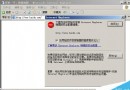
Windows Server 2003 IE 每次瀏覽彈出安全警告?移除「增強式安全性」元件即可解決
Windows Server 2003 兩種自動登入設定方法
Windows 2003 序號大全(標準版/企業版/Web 版/SP2/R2/64-bit 含 VOL 版)
解決 Windows Server 2003 安裝 IIS 找不到 iisadmin.mfl 等檔案問題
解鎖 Windows 內建磁碟清理隱藏選項:深度清理釋放更多空間
IIS 設定備份與還原完整教學 (Windows 2000/2003)