透過遠端桌面連線至 Windows Server 2003,修改本地 Administrator 密碼的標準化 6 步驟操作。
操作步驟
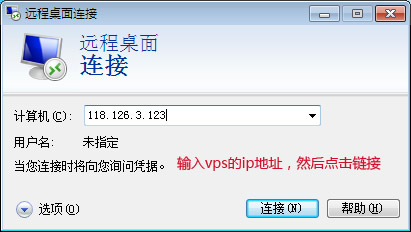
- 啟動遠端桌面連線 (
mstsc) → 輸入伺服器 IP → 「連線」。
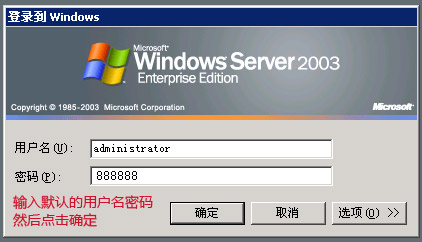
- 輸入預設管理員帳號密碼 → 「確定」。
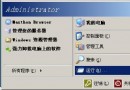
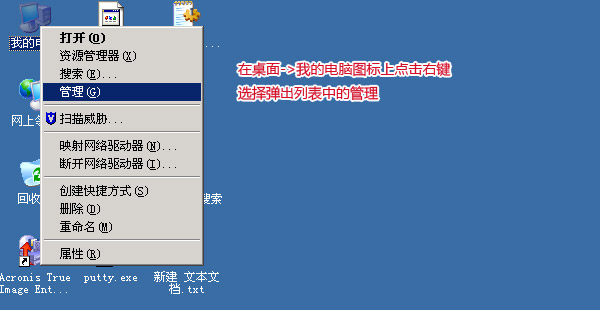
- 桌面右鍵「我的電腦」→ 「管理」。
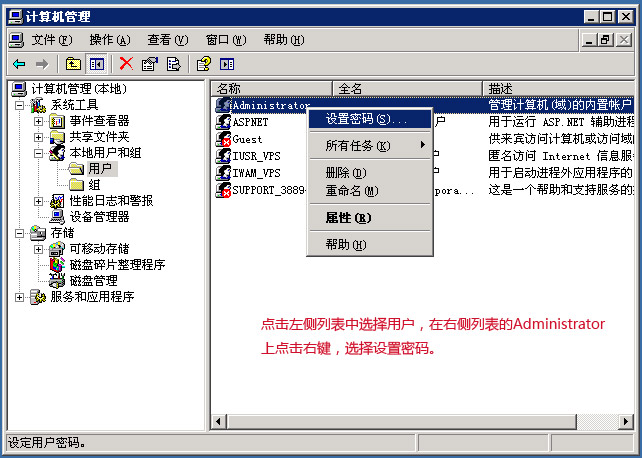
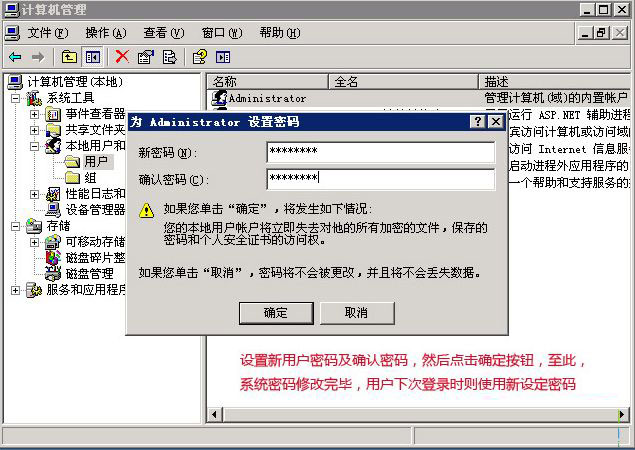
- 左側「系統工具」→「本地使用者和群組」→「使用者」,右鍵 Administrator → 「設定密碼」。
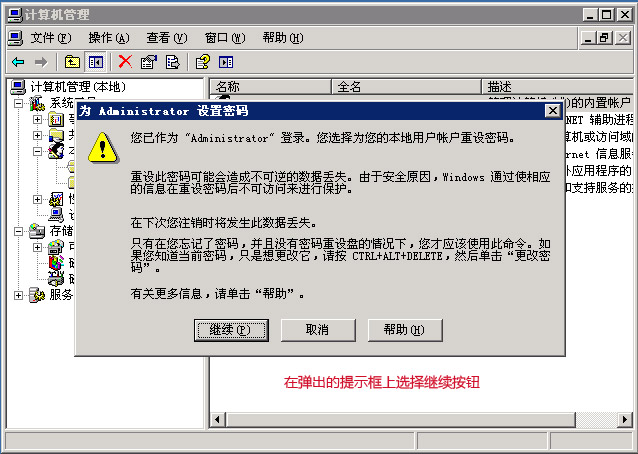
- 彈出警告視窗 → 點選 「繼續」。
- 輸入新密碼、確認密碼 → 「確定」完成修改。
最佳實踐建議
- 🔐 密碼複雜度:≥12 字元、大小寫、數字、特殊符號、不含字典詞。
- 🔄 定期輪換:建議 90 天輪換一次管理員密碼。
- 📝 記錄審計:密碼變更記錄於安全性日誌 (事件 ID 4723/4724),納入審計流程。
- 🛡️ 緊急備用:建立第二個 Administrators 群組帳號作為備用,避免單一密碼遺失導致無法管理。
- 🚫 禁用/重命名 Administrator:安全基準建議重命名內建 Administrator 並建立同名誘餌帳號 (無權限、啟用稽核)。
適用範圍
此流程同樣適用於 Windows Server 2008/2008 R2/2012/2012 R2/2016/2019/2022 等版本,介面略有差異但核心邏輯一致。