Windows 右鍵選單可透過修改登錄表擴充。頻繁複製/移動檔案時,預設缺少「複製到資料夾」與「移動到資料夾」選項。操作如下:
regedit,定位 HKEY_CLASSES_ROOT\AllFilesystemObjects\shellex\ContextMenuHandlers{C2FBB630-2971-11D1-A18C-00C04FD75D13}{C2FBB631-2971-11D1-A18C-00C04FD75D13}Win 7/8.1 用戶必看:升級 Windows 10 的 10 大誘人理由
微軟徹底放棄 Aero Glass Windows 8/Server 2012 全面啟用 Metro UI
Windows 8.1 批量授權用戶下載時間表:企業版本月底上 VLSC,專業版 10/18 同步開放
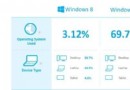
IHS iSuppli 報告:Windows 8 售出 6 億授權,銷售表現追平 Win 7 同期,有望重振 PC 市場
微軟回應:絕不強制用戶升級 Win10,免費升級 7/29 截止,之後不保證免費
Win10 Build 9879 Continuum 模式啟用教學:平板專屬,註冊表解鎖早期版開始螢幕