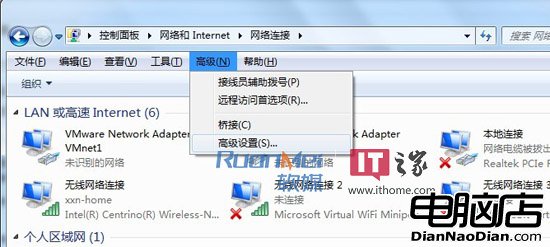
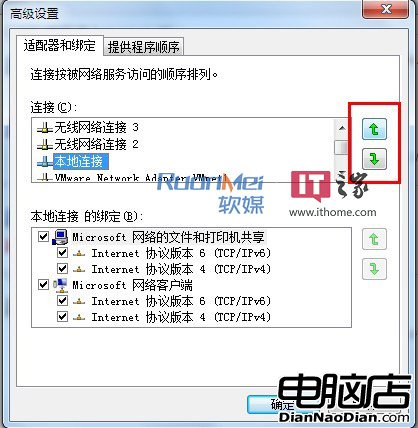
多網卡環境(有線、無線、虛擬網卡)下,Win 7 內建調整存取優先順序功能:
簡單幾步完成,無需第三方軟體,依實際需求優化網路連線優先權。
Windows 10 週年更新將上線 Windows Information Protection (WIP) 資訊保護服務
Windows Phone 7.8 不會被拋棄:將與 WP8 長期共存
Win10 預覽版 14251 推送:版本號大躍進但無重大功能,已知問題與對策彙整
Win10 新瀏覽器渲染引擎詳情曝光:摒棄 Trident,專注標準互操作
Windows 10 技術預覽版新手必讀 10 大實用技巧
Google 延長 Chrome 對 Windows XP 支援至 2015 年底
1 月 21 日,新篇章,新期待!
Windows Insider 新負責人 Dona Sarkar 讚用戶為真正英雄:共同從 Bug 中拯救 Win10