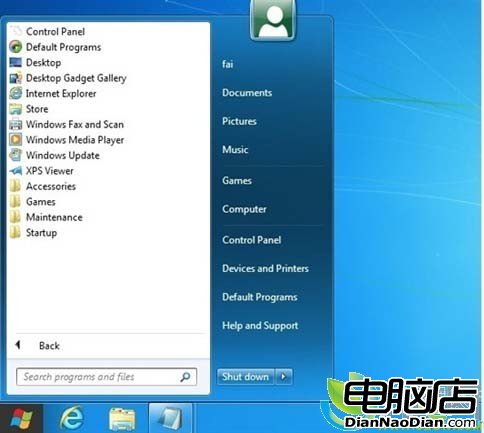
Win8 開發者預覽版中,經典開始選單被 Metro UI 取代,非觸控螢幕難適應。可透過登錄編輯器恢復:執行 regedit,展開 HKEY_CURRENT_USER\Software\Microsoft\Windows\CurrentVersion\Explorer,將 RPEnabled 值從 1 改為 0,即恢復傳統開始選單(同時停用 Metro UI)。改回 1 則恢復 Metro。
Windows 8 優惠結束大幅漲價 分析師憂微軟此舉恐自斷後路
微軟上架Surface RT官方翻新機:32GB售$299、64GB售$379,比全新便宜$50,含一年保固
微軟招聘 Win8.1/WP8.1 照片視頻體驗開發者:打造沉浸式多源數據瀏覽
Windows 7 省電設定全攻略:自訂電源計畫、微調硬體關機時間、設定喚醒密碼
Windows 10 升級機制大變:XP/Vista 無法直接升級
微軟更新 WP8.1 必應應用:統一微軟賬戶登錄、隱私條款變更、美食/旅遊/資訊內容豐富
Windows 8「系統刷新」功能詳解:重裝系統無需備份數據,保留個人文件與設置
Windows 7 市場份額突破 30%,Win 8 發布在即將成系統霸主