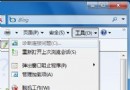
寫字板缺乏特殊符號支援,每次需手動開啟「字元對應表」極不便。利用批次檔可讓兩者同步啟動:
wordpad.exe
charmap.exe
1.bat
start wordpad.exe
start charmap.exe
以後點擊寫字板捷徑,字元對應表將自動隨之開啟,特殊符號輸入零等待。
清空資源回收筒後檔案救回術:登錄檔重建資源回收筒命名空間
「新增/移除程式」開啟緩慢?三招加速讓它秒開
刪除與粉碎的本質差異:機密檔案徹底銷毀指南(進階版)
Windows 7 變更視窗顏色與透明度:Aero 玻璃效果色相/飽和度/亮度/混合器完整調教
打造「百毒不侵」Windows:用標準用戶上網 + NTFS 權限鎖死系統盤,病毒無處著陸
高手必備:玩轉滑鼠拖放操作,效率不輸快速鍵
刪除檔案後硬碟空間不增加?回收站佔用空間完整解析
裝網卡後開關機異常:DHCP 尋址導致開機卡頓、關機卡住多因素排查