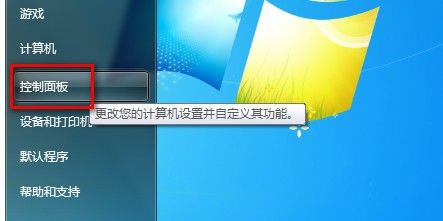
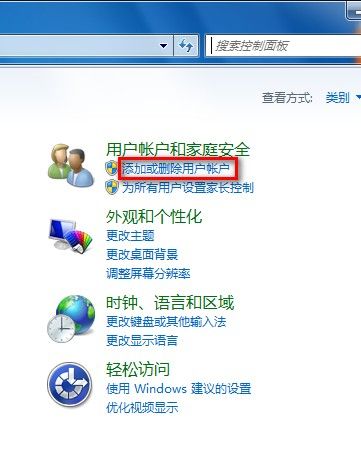
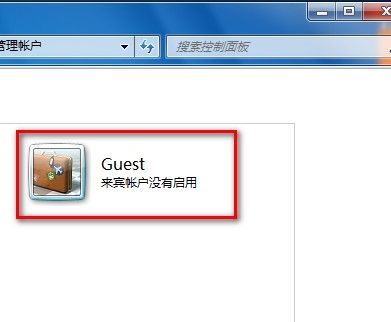
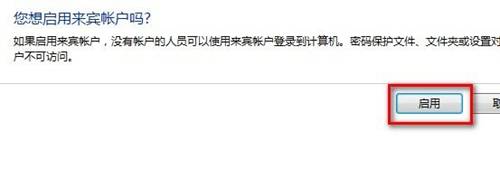
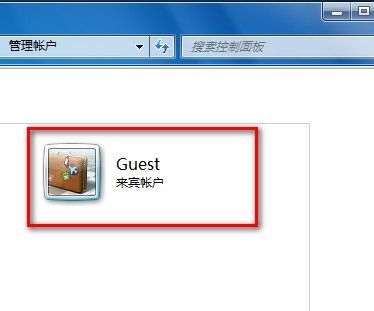
Windows 7 控制訪客帳戶 (Guest) 的啟用與停用:
Windows 簡易優化三板斧:啟動項、註冊表、磁碟與記憶體調校
巧改 DNS 設定加速工作站開機:DNS 轉發器解決內外網兼顧難題
Windows 重新安裝完整指南:從備份到完成的詳細步驟
重灌系統失敗九大原因剖析:版本檢查、防毒保護、硬碟密碼、重名目錄、磁碟空間誤判、升級版本錯誤、硬體過熱、擴展記憶體、硬體偵測卡住
電腦操作技巧大全:從安裝優化到註冊表、網路與安全的 200 實用招式
Vista Home 版無 IIS?Baby Web Server 輕量級替代方案測試心得
百度硬碟搜尋服務器版:像搜尋本機一樣搜尋區域網路內所有電腦資源
Windows XP 找回消失的「資料夾選項」——群組原則一鍵恢復