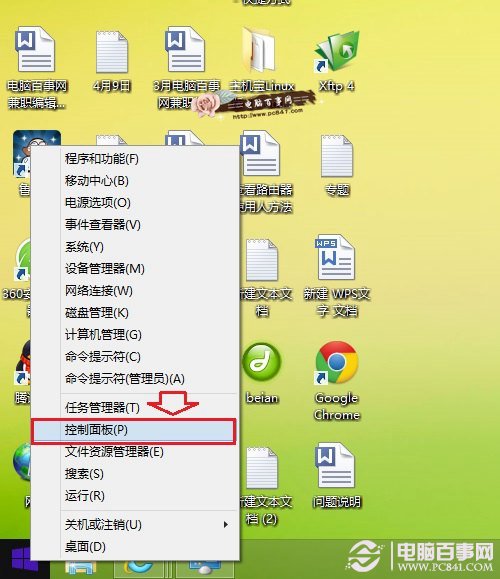
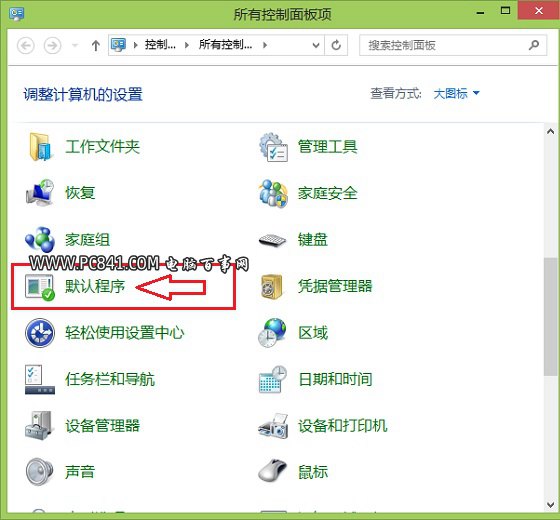
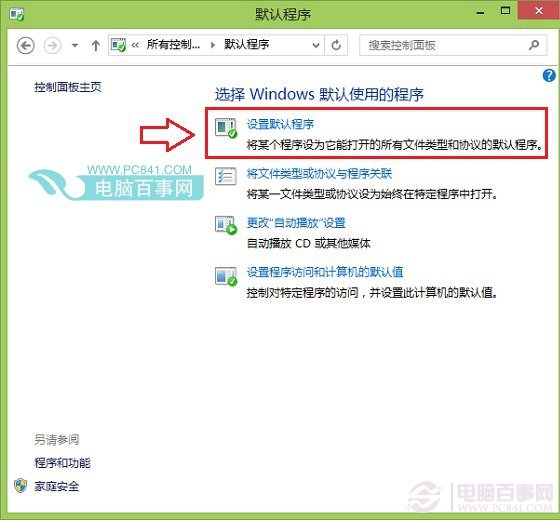
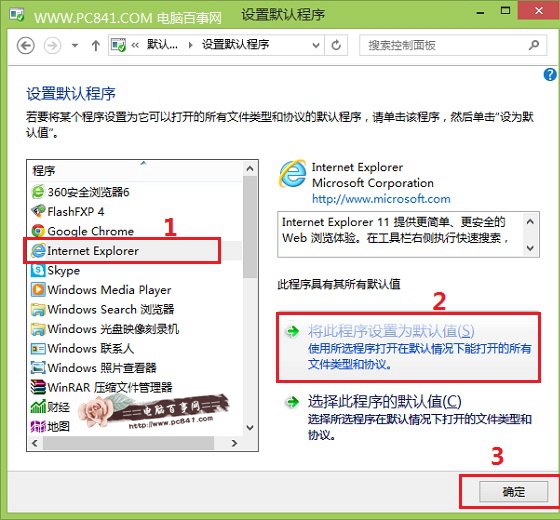
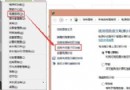
電腦安裝多款瀏覽器時,如何將慣用的設為預設?Windows 8.1 設定方式與 Win7 類似,細節略有不同。
同樣方法可設定預設播放器、圖片檢視器等。舉一反三,輕鬆管理檔案關聯。
Win10 改用 Microsoft 帳戶登入後頻繁閃退/應用無法開啟?調整 UAC 通知層級 → 重新切換 Microsoft 帳戶 → 設定免密碼登入
Win10 資源管理器頻繁崩潰重啟?驅動不兼容是主因
Win10 如何啟用?獲取金鑰、安裝中啟用、系統內變更金鑰三種方式完整圖解
Win10 內建管理員帳號被停用無法登入?PE 環境下利用 sethc.exe 替換法重啟管理員
查看 Windows 8 已安裝應用程式佔用空間大小,釋放系統磁碟
Win8 瀏覽器開網頁總是未回應?關閉 GPU 渲染即可解決
Windows 8 禁止 Explorer 自動清理縮圖快取:權限設定拒絕 SYSTEM 刪除權限
Win7 移除右鍵選單「相容性疑難排解」:匯入登錄檔刪除 ContextMenuHandlers