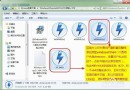
許多從 Win7 升級的用戶發現 Win10 資料夾預設不顯示圖片的詳細資訊(如解析度)。實際上只需簡單設定即可啟用。
操作方法:
Win10 支援的詳細資訊相當豐富,依個人需求勾選即可。
Windows 10 內建應用太多?一鍵 PowerShell 指令批次移除預裝 App (含單獨/全部/佈建包刪除)
Windows 10 升級前必看 13 問答完整指南(最新版)
微軟向全體 Windows Insider 會員發送郵件通知:Win10 正式版發布
Win10 一週年更新預覽版 14361 快速版中文 ISO 鏡像下載(含安裝金鑰、校驗碼、激活方式)
Win7 硬碟狂閃、頻繁讀寫?停用三大服務 + 關閉系統還原/壓縮/索引保護硬碟
Unity 5.2 釋出:支援 Win10 與 UWP,Visual Studio 成為預設腳本編輯器,強化 VR/AR