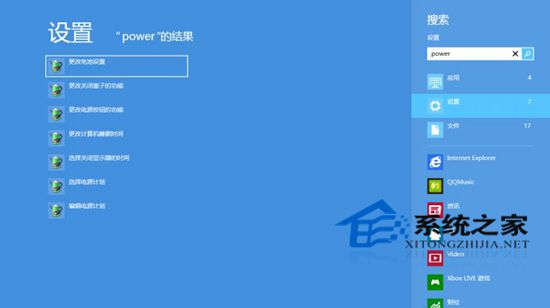
Windows 8 內建強大搜尋功能,透過「變更電腦設定」可深度調整搜尋行為。
使用行動數據上網時,建議關閉「在網路上搜尋」以節省流量。
Win7 升級安裝 vs 全新安裝:差異詳細比較與選擇建議
微軟 2 月補丁星期二:釋出 12 款安全更新,重點修補遠端程式碼執行漏洞
修改登錄鍵值讓 Windows 7 關閉程式自動釋放未用 DLL,提升系統回應速度
Win7 如何禁用實體光碟機?裝置管理員右鍵「停用裝置」繞過遊戲偵測
Windows 10 發布會 13 大新特性速覽:免費升級、開始功能表、虛擬桌面、Cortana、Edge、跨平台
Win10 預覽版應用商店打不開、閃退?一招暫時解決
Windows To Go 無法存取 Windows 應用商店?群組原則開啟存取權限
Windows 7 登錄 Shell 鍵值誤刪導致檔案無法開啟?還原備份或重灌系統