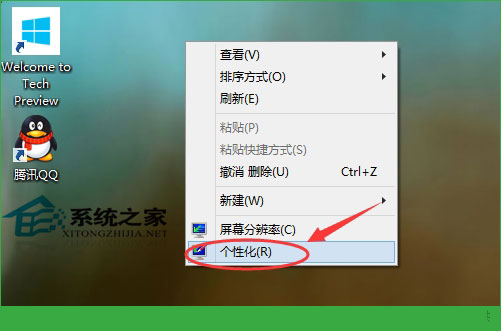
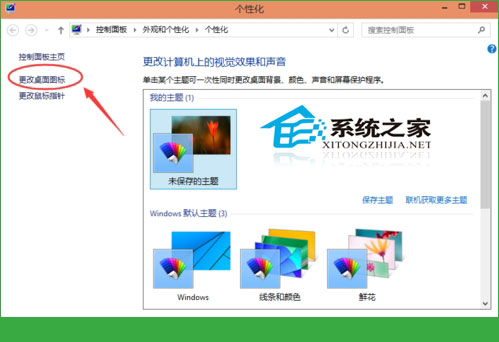
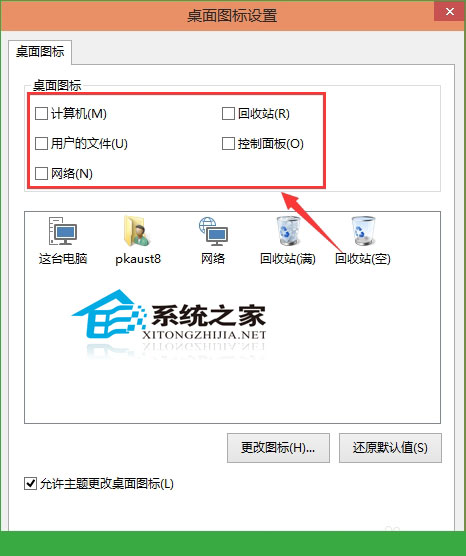
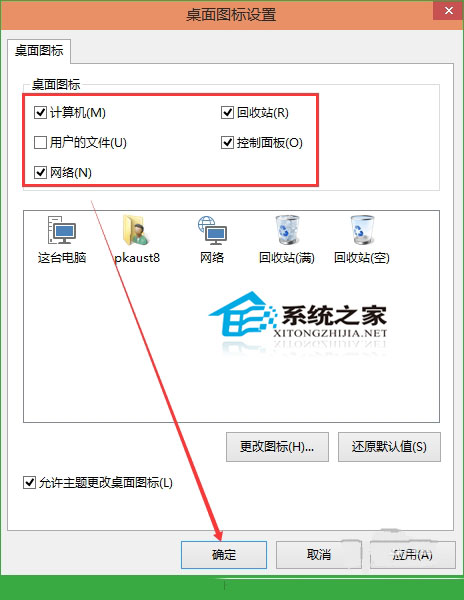
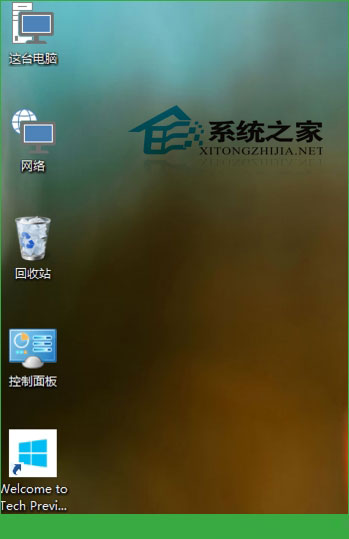
Windows 10 預設桌面可能無任何圖示。本文教您透過「個人化」設定顯示「這台電腦」、「使用者的檔案」、「網路」、「控制台面板」等系統圖示,並可自行加入應用程式捷徑。
自訂桌面圖示可保持桌面簡潔實用,僅顯示所需項目。
在 Windows 8 滑鼠右鍵選單新增關機、重新開機、登出等快速指令
Windows 控制台完整管理電腦教學:電源、滑鼠、鍵盤、印表機與網路設定
Win10 企業版永久啟用教學:KMS 指令一鍵激活
Windows 恢復環境 (WinRE) 完整指南:進入方式、內建工具與 ReAgentc 指令配置詳解
Win10 開始選單、工作列出現亂碼重疊?重啟總管或移除衝突軟體
Win7 加快工作列縮圖預覽切換速度:登錄表新增 ThumbnailLivePreviewHoverTime
Win10 無線網路頻繁斷線?關閉網卡「允許電腦關閉此裝置以節省電源」徹底解決
Win10 升級後沒聲音?四大官方疑難排解影片教學