Windows 7 內建網路時間同步功能,可自動與網際網路時間伺服器校時,確保系統時間準確:
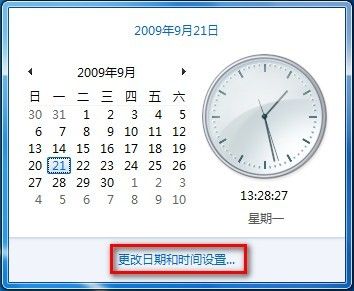
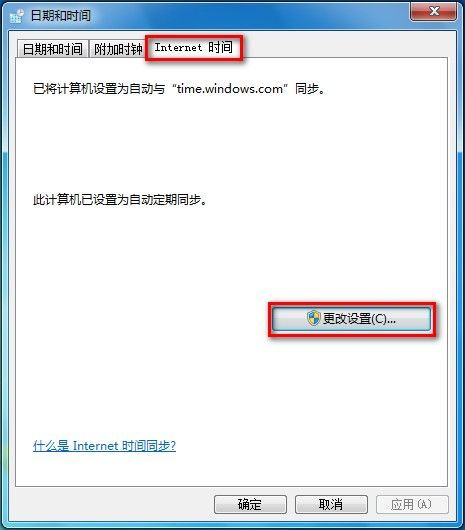
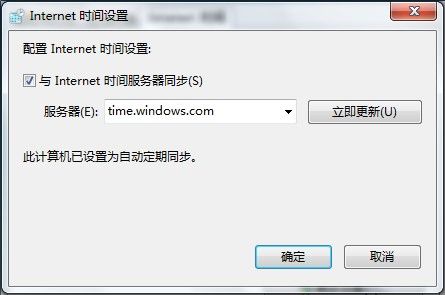
預設同步伺服器為 time.windows.com,亦可手動輸入其他 NTP 伺服器位址。
Win10 Edge 瀏覽器如何更換搜尋引擎?以 Google 為例完整教學
Windows 7 建立虛擬硬碟 (VHD) 隱藏私密檔案完整圖文教學
微軟 2016 年 1 月修補星期二:9 項安全更新含 6 項嚴重級,Win10/8.1/7 全受影響
Win10 解除預設網速限制:透過群組原則將 QOS 預留頻寬設為 0% 提升下載速度
Windows 10 TH2(11 月更新)正式推送:任務啟動速度較 Win7 提升 30%、Edge 收藏夾同步、Cortana 支援手寫、數千驅動更新
Win 10 如何喚醒小娜?啟用「你好小娜」語音喚醒完整教學