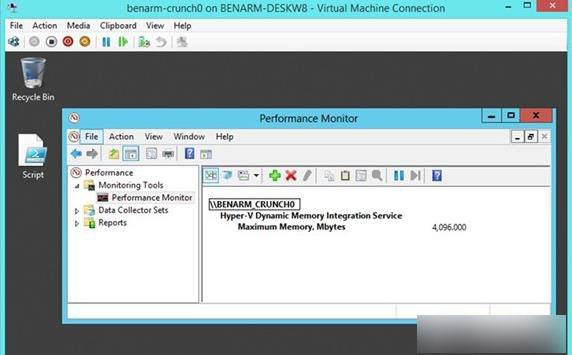
Hyper-V 動態記憶體功能可自動調整虛擬機記憶體用量。查詢目前配置的最大動態記憶體,有三種方式:
Hyper-V Dynamic Memory Integration Service → Maximum Memory, Mbytes。(Get-Counter "\Hyper-V Dynamic Memory Integration Service\Maximum Memory, Mbytes").CounterSamples.CookedValue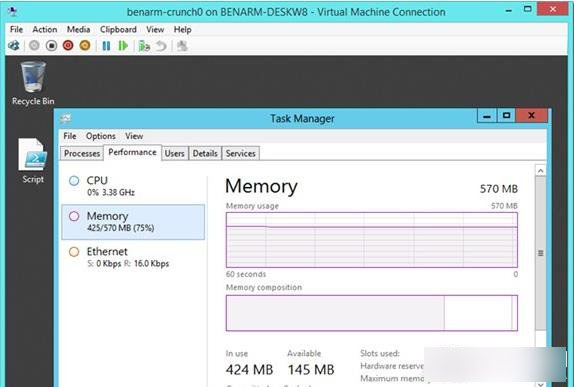
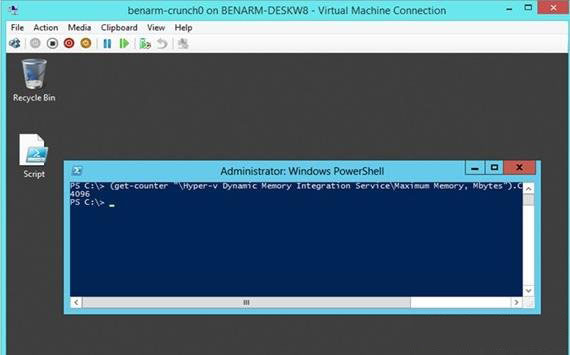
PowerShell 指令最直接,可整合至腳本自動化監控。
小米 4 開始推送 Win10 Mobile 10536.1004 更新:可透過 Insider 計畫持續獲取更新
Win10 應用商店下載的 App 怎麼刪?兩大卸載法圖文教學
Windows 8.1 11 月更新後玩 LOL/CF 出現 TP「自加載初始化失敗」?兩招快速解決
Windows Server 2016 Build 10514 真機截圖流出:源自 TH2 分支,伺服器版本將不等到明年初發布
Windows 10 C 槽空間不足解決方案:擴展磁碟分區與刪除 Windows.old 釋放 10GB+
【影片】Win10 Build 10074 有哪些變化?上手操作影片展示 Cortana、新音效、模糊透明效果
升級 Win10 14295 後滑鼠跳動、異音?禁用 TPM 維護任務暫時緩解
Windows 10 Build 9879 修補程式 KB3020114 安裝失敗:Explorer.exe 崩潰修復補丁部分用戶無法套用