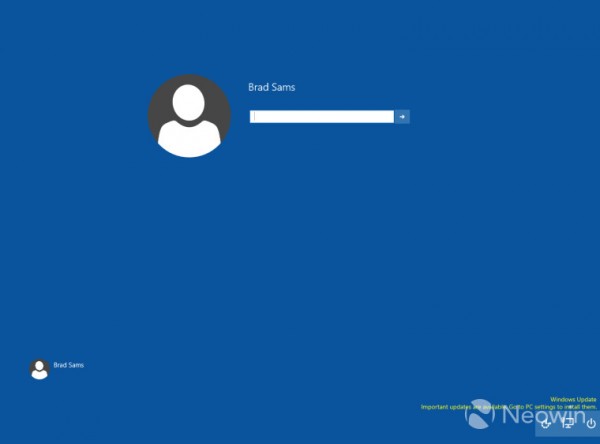
外媒發現透過修改登錄可啟用 Build 9926 預設關閉的新版登入畫面:鎖定畫面新增圖示、使用者頭像改為圓形設計,雖功能無新增但帶來不同視覺體驗。
Regedit.exe
HKEY_LOCAL_MACHINE\SOFTWARE\Microsoft\Windows\CurrentVersion\Authentication\LogonUI\TestHooks
提醒:修改登錄前建議備份,此為測試功能,正式版可能調整或移除。
Win10 Build 10120 曝光:Edge 瀏覽器新分頁頁面完善,整合新聞、天氣、熱門應用
Surface 3 升級 Win10 完整圖文教程:從預覽版到正式版體驗
Win10 開啟軟體提示找不到 d3dx9_26.dll 怎麼辦?啟用 DirectPlay 組件解決
Windows 8 透過本機安全性原則停用 EFS 加密檔案系統
Win7/Win8.1 獲取 Windows 10 程式:系統升級受阻等待時間漫長
Windows 10 開機黑屏久/只有滑鼠游標?獨顯驅動不相容與快速啟動衝突雙重解法
Windows 7 內建 AppLocker 功能教學:鎖定特定程式防止他人誤用
U 盤/光碟啟動 WINPE 製作完整圖解:老毛桃 U 盤版 + 深山紅葉光碟版