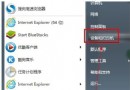
使用第三方「去除捷徑小箭頭」優化工具後,常導致 Win7 無法將程式釘選到工作列或「附加到開始選單」選單項目消失。根因:工具誤刪 HKEY_CLASSES_ROOT\lnkfile 與 piffile 下的 IsShortcut 字串值,導致 Shell 辨識捷徑機制失效。手動重建該值即可修復。
regedit 開啟登錄編輯器。HKEY_CLASSES_ROOT\lnkfileIsShortcut(無需數值資料,存在即生效)。HKEY_CLASSES_ROOT\piffile → 新增字串值 IsShortcut。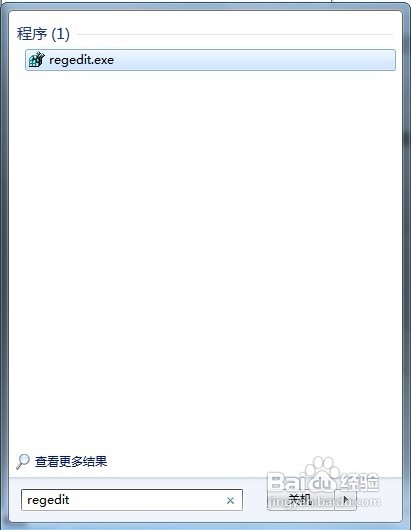
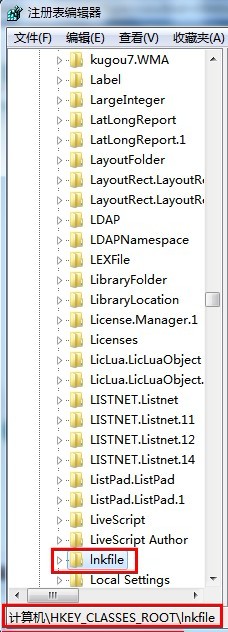
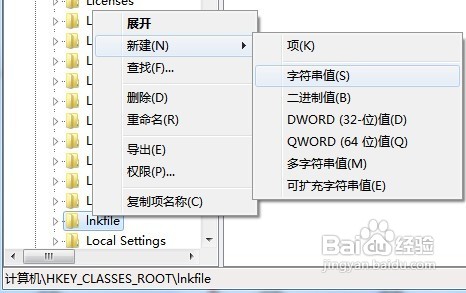
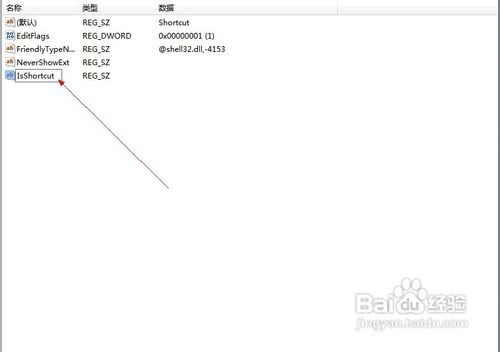
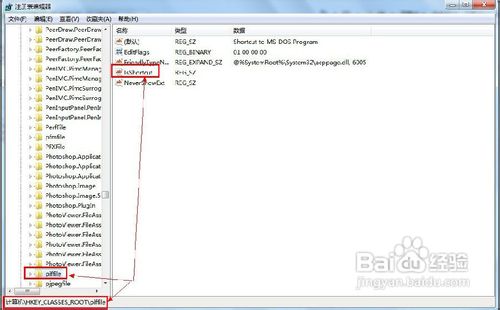
HKEY_CLASSES_ROOT\lnkfile\shellex\IconHandler 或使用 reg add "HKCR\lnkfile" /v IsShortcut /f 保留值但搭配自訂圖示資源。7+ Taskbar Tweaker、WinAero Tweaker 等正規調校工具,提供「隱藏捷徑箭頭」且不破壞功能。reg add "HKCR\lnkfile" /v IsShortcut /f & reg add "HKCR\piffile" /v IsShortcut /ftaskkill /f /im explorer.exe & start explorer.exe 即時生效。Win10 TH2 更新卡住無法安裝 NVIDIA 驅動?啟用 Windows Defender 更新一招破解
Win7 隱藏區域網路電腦名稱:net config server /hidden:yes
Win8 第三方 INF 驅動簽名無效?進入進階啟動選項停用強制簽名即可安裝
解決 Windows 7 網路識別問題:停用/啟用網路介面卡重設連線
Windows 下設定 SVN 服務自動啟動與手動啟停:sc create / net start / net stop 完整指令教學
Win10 RS2 14915 關閉 Delivery Optimization (傳遞優化) 教程:節省頻寬、停用 P2P 更新分享