Win8.1 撥號上網報錯 711,實為必要網路服務未啟動。依序在「服務」中啟用:① 電話服務 ② Secure Socket Tunneling Protocol Service ③ Remote Access Connection Manager ④ Remote Access Auto Connection Manager ⑤ (若仍失敗) 重開機。實測親測成功,比重灌快百倍。

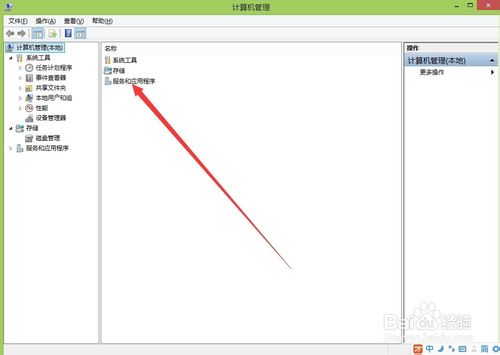
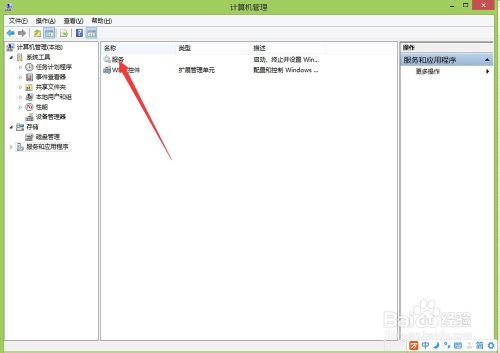
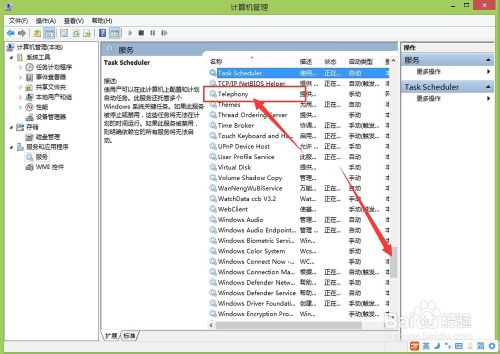
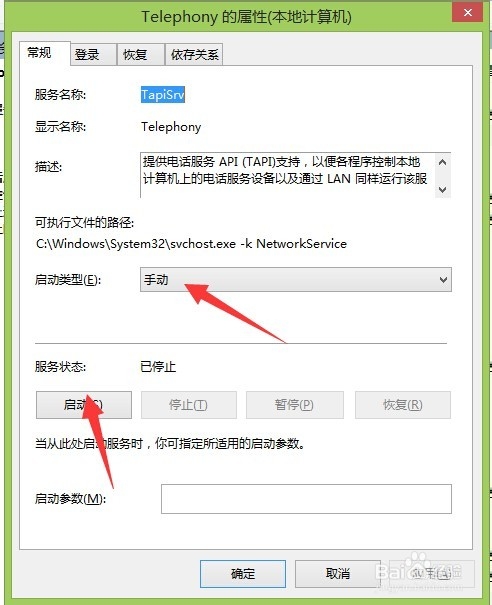
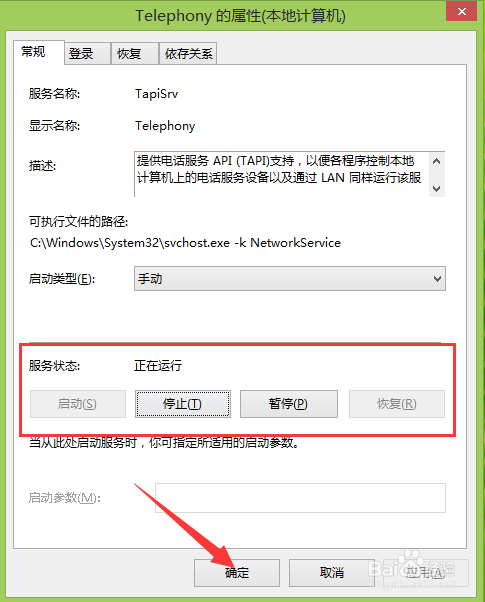
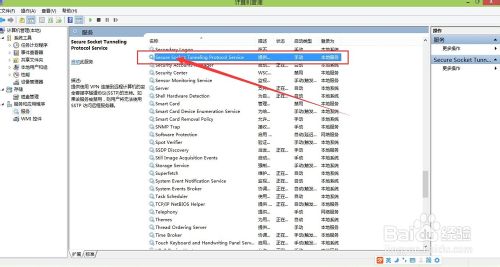
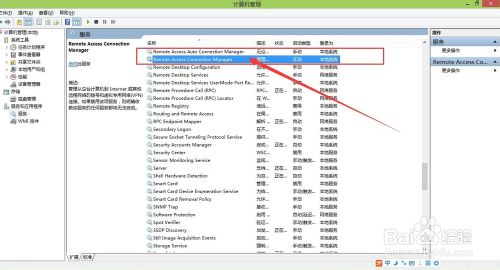
錯誤 711 看似嚴重,實則是服務缺失,幾分鐘啟用完畢即可恢復上網,收藏備用最安心。
Windows 7 查看已儲存無線網路密碼教學:網路內容 → 安全性 → 顯示字元
Windows 10 右鍵選單太寬?一鍵登錄修改恢復經典窄版寬度
Win8 開機音效消失?啟用「播放 Windows 開機音效」找回經典啟動聲
Windows 10 14328 版更新後迅雷崩潰?官方補丁程式修復下載
Win7/8.1/10 UAC「是」按鈕灰色無法點擊?將目前帳號加入 Administrators 群組解決
Win8/8.1 內建燒錄光碟功能完整教學:資料光碟與音樂光碟燒錄步驟
Win10 RS2 預覽版 Build 14912 下周有望推送?微軟內部會議導致 14910 跳過,14912 作為補償釋出