Win10 支援單螢幕同時顯示四個視窗,各佔 1/4 面積,極適合多任務並行。手動操作關鍵在於 Win + 方向鍵 組合:
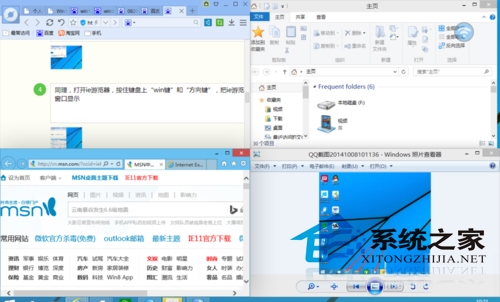
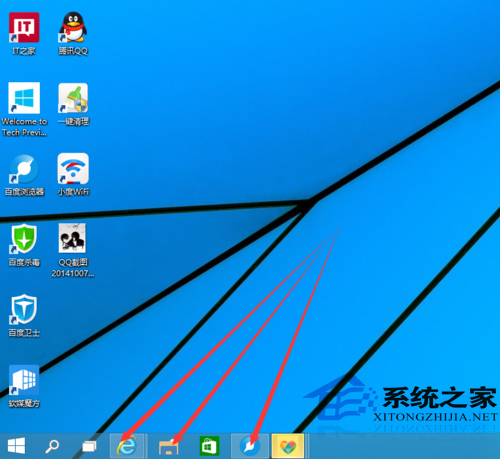
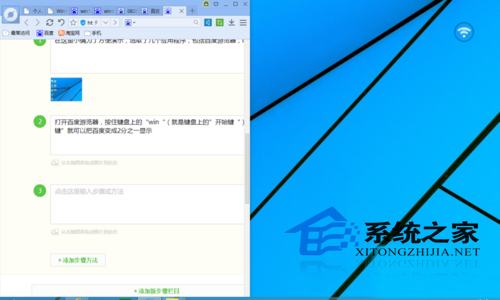
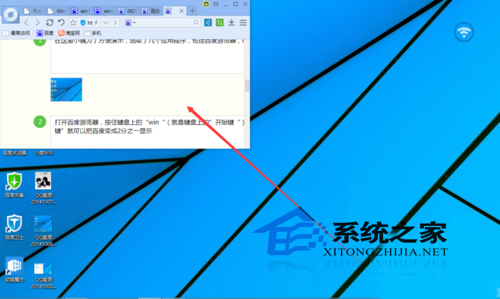
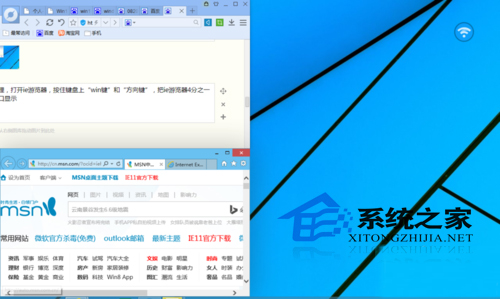
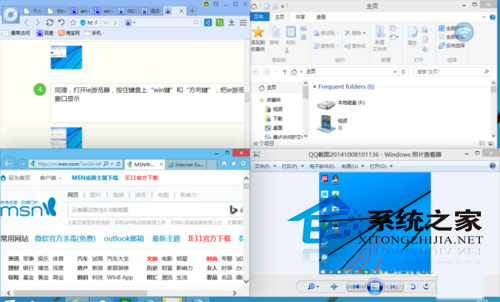
Win10 也提供自動分割功能(將視窗拖曳至螢幕四角),效果相同。大螢幕用戶善用此功能可同時監看多畫面、對照文件、追劇不誤工,效率倍增。
Win10 消費者預覽版現場體驗:微軟終於找回正軌,簡潔流暢且重視連續性
VirtualBox 安裝 Win10 10565 出現花屏?關閉 3D/2D 加速即可修復
Win7 安裝程式提示 Win7.Vxd 檔案未找到?登錄刪除殘留鍵值解決
Windows 10 專屬頭像線上產生器:三步驟為頭像加上 Win10 Logo
Windows Server 2003 關閉 IE 增強式安全性與啟用 XP 風格主題
Windows DLL 檔案別名機制與 KnownDLLs 註冊表深度解析
Windows 10 安裝率暴擊 Windows 8:10 天佔有率 4.13% vs 0.77%,再現「隔代興衰」鐵律
微軟撤回 SHA-2 雜湊演算法更新補丁 (KB2949927):導致部分 Win7/Server 2008 R2 用戶異常,提供移除指引