Windows 7 玩遊戲無法全螢幕,修改登錄解決:
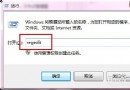
regedit
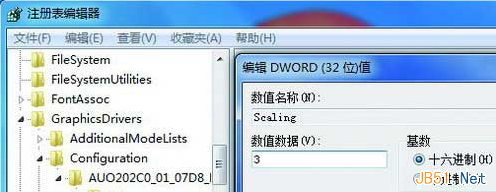
HKEY_LOCAL_MACHINE\SYSTEM\ControlSet001\Control\GraphicsDrivers\Configuration
Scaling
3
適用於 Ghost 版等 Windows 7 系統。
Windows 10 創作者更新預覽版 Build 15010 現身 Twitter,功能鎖定進入修復階段
Windows 7 旗艦版玩遊戲頻現「exe 已停止運作」四大解決方案
Win7 只能上 QQ 無法開網頁?修改 DNS 秒解決
Win10 內建驅動更新新機制:應用商店 3A 大作將捆綁優化驅動
Win7 語言列不見了?控制台「語言列」索引標籤勾選停駐工作列
Win10 桌面版 Cortana 小娜發送簡訊功能演示影片
Win 10 檔案總管標題列顯示程序 ID (PID) 設定教學
Windows 8 桌面右鍵選單新增「關機」選項教學