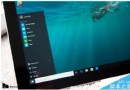
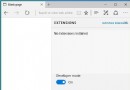
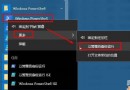
Win10 Build 10056 任務列、開始鈕、通知中心預設黑色背景,與 Windows Phone 風格一致。透過登錄表可將更多系統應用(設定、計算機、鬧鐘等)背景轉為深色:
regedit。HKEY_CURRENT_USER\SOFTWARE\Microsoft\Windows\CurrentVersion\Themes\Personalize。SystemUsesLightTheme = 0(預設即為 0,若被改為 1 則為亮色模式)。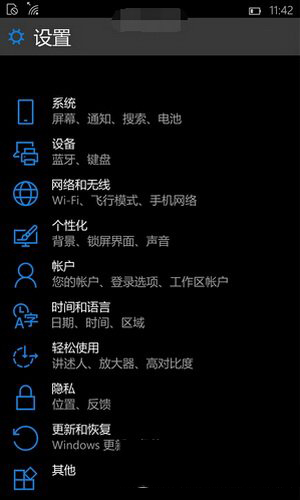
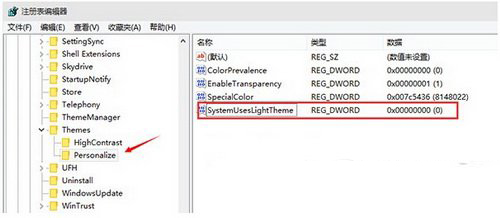
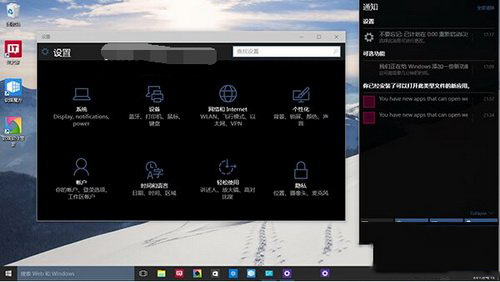
此為預覽版實驗性深色模式,正式版 (1809 後) 在「設定」→「個人化」→「顏色」→「選擇您的預設應用程式模式」提供官方切換,無需登錄表操作。
Win7 螢幕截圖四大法:PrintScreen 全螢幕、Alt+PrintScreen 視窗、截圖工具、Ctrl+PrintScreen
Win7 Word 2010 設定開啟密碼教學:檔案→資訊→保護文件→加密密碼四步完成
Windows 10 Build 9879 修補程式 KB3020114 安裝失敗:Explorer.exe 崩潰修復補丁部分用戶無法套用
Windows 8.1 升級後 VPN 錯誤 720 解決法:將 WAN 微型連接埠改裝通用行動寬帶介面卡
Windows Server 2008 如何設定自動取得 IP (DHCP)?網路介面卡 IPv4 設定圖文教學
Windows 10 Build 10041 更新失敗怎麼辦?錯誤代碼 0x80070103 / 8024a000 完整解決方案