Windows XP Windows 7 Windows 2003 Windows Vista Windows 綜合教學 Linux 系統教學
Windows 10 Windows 8 Windows 2008 Windows NT Windows Server 電腦軟體教學
您现在的位置: Windows教程網 >> Windows教程 >  >> Windows 綜合教學 >> 關於 Windows

Windows XP 設定開機自動撥號上網(支援重啟/登出後自動連線)

編輯:關於 Windows

傳統撥號連線設定「任何人使用此電腦」僅在使用者登入後生效。若需在開機、重啟、登出後均自動撥號(系統尚未登入桌面即連網),需結合登錄表 Run 機鍵實現服務級自動撥號。

操作步驟

  1. 在「網路連線」建立寬帶連線,命名為 adsl,勾選「儲存使用者名稱和密碼」。屬性中取消「顯示撥號進度」以隱藏視窗。
  2. 開啟登錄表 regedit,定位至:
    HKEY_LOCAL_MACHINE\SOFTWARE\Microsoft\Windows\CurrentVersion\Run
  3. 右鍵新增「字串值」,名稱 adsl,數值資料:
    c:\windows\system32\rasphone.exe -d adsl
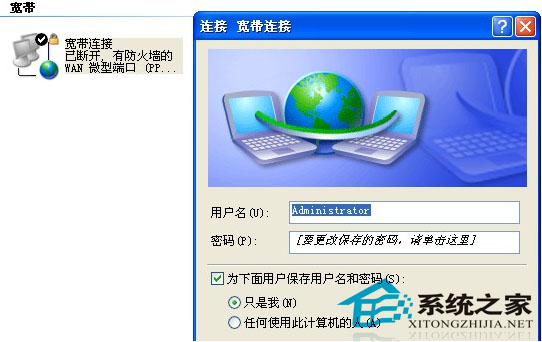
設定完成後,系統啟動至登入畫面前即會在背景自動撥號連網,無需使用者介入。適用於伺服器、遠端監控、無人值守終端機等場景。

Copyright © Windows教程網 All Rights Reserved