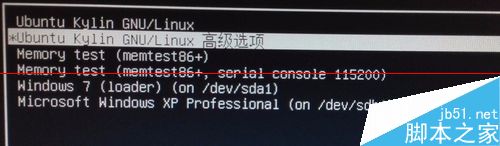
Ubuntu安裝在Windows之後且Boot Loader未裝MBR(裝在/boot或/分區),重開機不見Ubuntu啟動項。用 Grub4dos 掛載Ubuntu核心映像並加入Windows啟動選單。
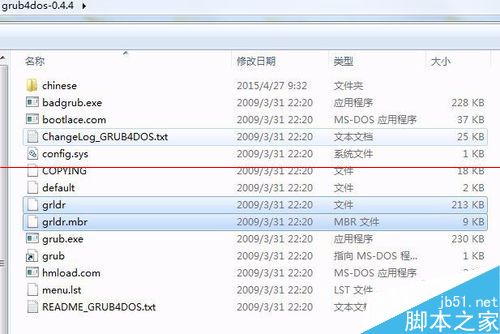
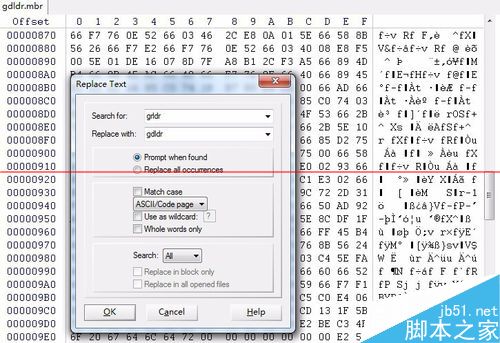
grldr、grldr.mbr 至C槽根目錄。grldr,需將新版改名 gdldr,用WinHex編輯 grldr.mbr 將內部 grldr 字串替換為 gdldr,避免衝突。bcdedit /create /d "GRUB MENU" /application bootsector
bcdedit /set {ID} device partition=C:
bcdedit /set {ID} path \grldr.mbr
bcdedit /displayorder {ID} /addlast
{ID} 為第一條指令生成的GUID,後續指令全部替換。
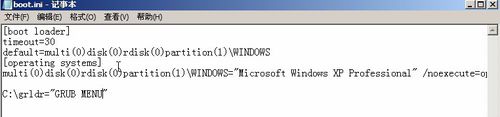
末行新增:C:\grldr="ubuntukylin 14.04"
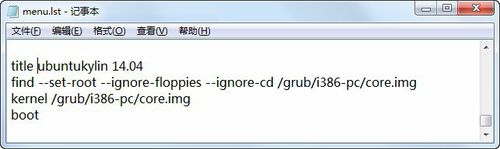
編輯 menu.lst(C槽根目錄)新增:
title ubuntukylin 14.04
find --set-root --ignore-floppies --ignore-cd /grub/i386-pc/core.img
kernel /grub/i386-pc/core.img
boot
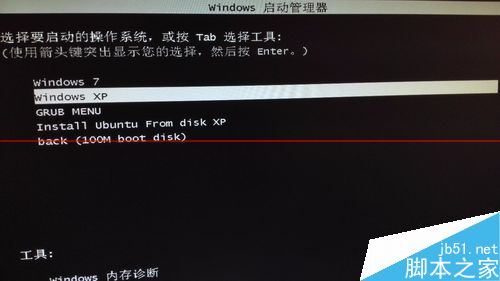
重啟即見Ubuntu啟動項。注意:不同Ubuntu版本 menu.lst 寫法可能不同,請查閱對應文件。

Win10 正式版僅內建應用能上網?重置 Winsock 解決
Win10 Build 9860 新增 Battery Saver 省電模式,可手動或自動限制背景活動延長續航
Win10 徹底關閉操作中心通知:登錄表修改 DisableNotificationCenter 完全禁用
Win7 開關機變慢?12 招優化建議從清理桌面到換 SSD
Windows 10 Build 10134 自製中文 ISO 系統鏡像下載 (64 位元專業版、含 MD5/SHA1/CRC32)
Windows 8 找回消失的應用商店磚:SFC 掃描修復系統檔案