Windows XP Windows 7 Windows 2003 Windows Vista Windows 綜合教學 Linux 系統教學
Windows 10 Windows 8 Windows 2008 Windows NT Windows Server 電腦軟體教學
您现在的位置: Windows教程網 >> Windows教程 >  >> Windows 綜合教學 >> 關於 Windows

Win7 開機提示 DLL 檔案錯誤(soudmax.dll 找不到模組):刪除註冊表與 msconfig 啟動項修復

編輯:關於 Windows

查毒後開機彈出 c:\windows\system32\soudmax.dll 找不到指定模組,多因病毒偽裝聲卡驅動或系統檔導致。修復:

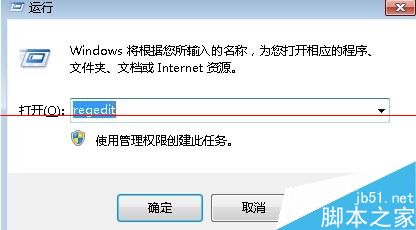
  1. Win+R → regedit → 展開 HKEY_LOCAL_MACHINE\SOFTWARE\Microsoft\Windows\CurrentVersion\Policies\Explorer\Run → 刪除 soundmax.dll 相關啟動項。
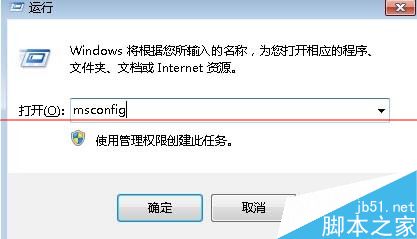
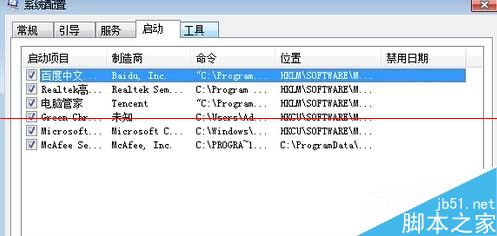
  2. Win+R → msconfig → 「啟動」分頁 → 停用 soundmax.dll 相關項。
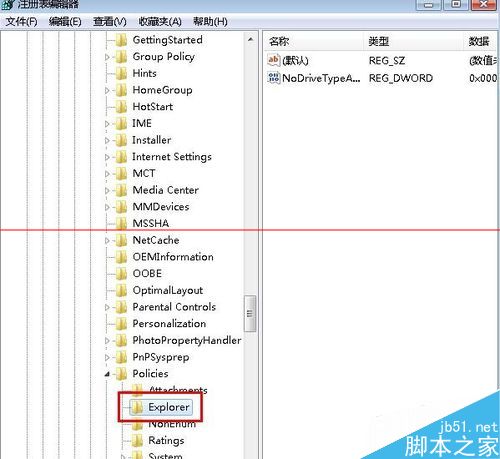
兩步清除殘留啟動項,解決開機錯誤提示。

Copyright © Windows教程網 All Rights Reserved